
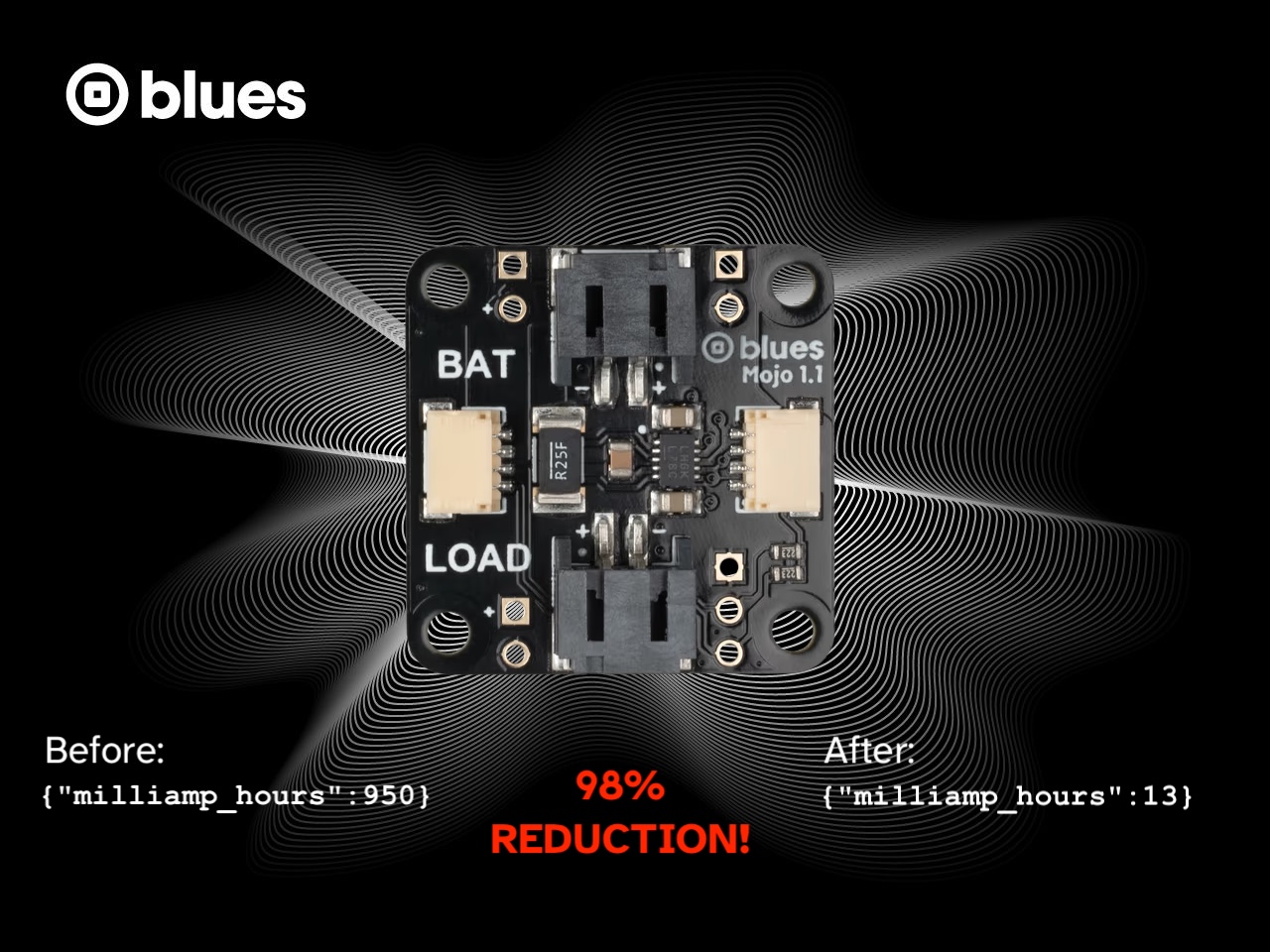

Earlier this year we announced Blues Mojo, an inexpensive Notecard companion device that measures energy usage in a battery-powered system.

Over the last year we’ve seen developers build Mojo into their prototypes to get real-world power-usage data on their products. In this blog post I want to show you how I’ve been using Mojo, because I think it’s a useful pattern you can use to quantitatively measure the power usage of your device, especially as you make updates.
Let me start by giving you a bit of background on a specific project that I used Mojo in recently.
The Background
Last year I built a home CO2 monitor and scattered a handful of devices around my home. Over the last year this project has been reliably reporting CO2 levels, and alerting me when CO2 levels get concerningly high. (I have Notehub set up to email me when the CO2 on any of my devices goes above 1200.)

So what’s the problem? Well, I’m lazy, and because my devices don’t run on magic, occasionally I have to recharge some LiPo batteries to get my devices back up and running. After a recent work trip I came back to a fleet of dead devices, and decided something needed to change.
 note
noteFun side note: the only device I haven’t had power issues with is my outdoor device, and that’s because it’s in a solar-powered enclosure from Voltaic. We’re running a webinar on Solar-Powered IoT with Voltaic tomorrow if you want to join us and learn more.
When I originally built this project’s firmware I put a few basic power optimizations in place, but I knew there was more I could do. Therefore, my goal became making this project as power-efficient as reasonably possible, and using Mojo to measure the impact of my updates.
In the next few sections I’ll explain the steps I’ve been using to measure the efficiency of my projects, starting with a few prerequisites.
Prerequisites
Connecting Mojo
At its core, Mojo is a low-power coulomb counter that sits between a battery and your hardware. For Mojo to work it has to be connected in between the two, which you can learn to do in Connect a Mojo.
In my project, Mojo sits between a Notecarrier X and a 2,000 mAh LiPo battery.

Zero Out Milliamp Count (Optional)
With your hardware set up, Notecard can read from Mojo’s coulomb counter through the card.power request.
> {"req":"card.power"}

{
  "temperature": 26.028314208984398,
  "voltage": 4.200970458984375,
  "milliamp_hours": 3.9566722000000007
}
Before running any test you may wish to reset the milliamp_hours count to zero using the card.power request’s reset argument.
{"req":"card.power","reset":true}You can run this request on your Notecard in the In-Browser Terminal, but if you want your tests to be as accurate as possible you’ll want to run {"req":"card.power","reset":true} in your firmware directly before your test starts.
This step is optional because you don’t need milliamp_hours to start at 0 to run a test, but some people like resetting the count to have a clear indication of when tests start and stop.
Access Mojo numbers
Finally, you need to set up a way to regularly report Mojo usage data to Notehub, and there are two different ways to do that:
-
You can enable power logs on your Notecard by setting its
_logenvironment variable topowerin Notehub. When enabled,_log=powerhas Notecard take a reading from Mojo every time it powers its modem on and off, and will store that data in a_log.qoNotefile. Learn how to implement this in Enable Power Logs. -
Alternatively, you can invoke the
card.powerrequest in your firmware, and include the returnedmilliamp_hoursin your Notes. This approach is a bit more manual, but if your project is regularly sending out Notes you may find tacking on another field to be straightforward.
I typically use option #1, because I like keeping my power-test data separate from my application data. Here’s what a stream of _log.qo events looks like in my Notehub project.

With this setup in place, you’re ready to run your first power test!
Running an Unoptimized Test
If you’ve looked at this blog post’s banner you may have seen I put a big number in it. 98% REDUCTION! I used bold, all caps, and red text so hopefully you didn’t miss it.
I got that number because for my first test I purposely used very optimized firmware. Here’s the full source if you’re curious, but in short this first version had:
- No host sleeping. My MCU (a Blues Swan) was on all the time.
- An always-on sensor. I never cut power to the SCD-40 I’m using to measure CO2 levels.
- Hourly syncs. I set my
hub.setrequest’soutboundto60to send any queued CO2 data up every hour.
I deployed that firmware to my device with Mojo connected and let it run overnight. The next day, I used Notehub to export my _log.qo data into a CSV, which looked like this.

Figuring out daily power usage now became a math problem.
To get the length of the experiment I subtracted the when from the newest event by the when of the oldest event. In my case 1764770178 - 1764712132 = 58046, which is 16 hours, 7 minutes, and 26 seconds.
To get power consumption total, I subtracted the body.milliamp_hours from the newest event by the body.milliamp_hours of the oldest event. In my case 683.722 - 39.264 = 644.458, which is the number of mAh consumed in that time.
With a bit of division I could figure out that this firmware version used ~39.96 mAh/hour, which is ~959 mAh/day. That’s a lot for a project that runs on battery power, but remember this was the totally unoptimized version of my CO2 Monitor. Let’s see how big of a difference a handful of optimizations can make.
Running an Optimized Test
To try to build the most power-efficient CO2 monitor possible I next made a slew of updates to my firmware. The full source code is available here, but in short:
- I used Notecard’s
card.attnrequest to put my MCU to sleep in between readings. See Putting a Host to Sleep Between Sensor Readings for a full tutorial on how to set this up yourself. - Because my SCD40 sensor is connected to my MCU, it now also loses power in between readings. The SCD40’s datasheet recommends letting the sensor warm for five seconds before taking a reading, so I made sure my firmware had a
delay(5000)in between the sensor’sstartPeriodicMeasurement()andreadMeasurement()method calls. - I used voltage-variable sync intervals so that my Notecard only does hourly outbound syncs when on USB power and full battery, and less-frequent intervals as the battery depletes.
- I turned off some Notecard features I wasn’t using, specifically Notecard’s GPS, accelerometer, and AUX mode. Learn more about this approach in Achieving the Lowest Possible Power State.
With these optimizations in place I again deployed my firmware and let it run on my device for a while. For this round I let the device run for longer because I wanted to capture the effect of using voltage-variable syncs, which wouldn’t happen until the battery was depleted a bit.
After a few days I again used Notehub to export a CSV of my device’s _log.qo data.

Here’s how the math works out for this dataset.
- The test ran for
1765371837 - 1765184053 = 187784seconds, which is 52 hours, 9 minutes, 44 seconds. - During the test my device consumed
96.697 - 62.192 = 34.505mAh of power.
After another round of division that means my optimized product consumed ~0.662 mAh/hour, and ~15.88 mAh/day. And after a bit more math, going from ~959 mAh/day to ~15.88 mAH/day is indeed a 98% reduction—pretty cool!
noteIf you’re looking to achieve a similar reduction in your projects I’d recommend reading through our guide to Low Power Design.
Wrapping Up
In this post I showed off a workflow I common use to measure the power-efficiency of my projects, and a pattern I use when I want to validate whether optimizations I make actually make a difference.
I’ve found this workflow to be invaluable because I can see the result of my tests in a day, rather than deploying a device and waiting to see how long it takes before the battery runs out. I’m even considering building Mojo more permanently into my designs so that I have more accurate usage data over a longer time frame.
If you want to try any of this out yourself pick up a Blues Mojo in our shop—they’re only $15! And if you have any questions about Blues Mojo feel free to reach out in our community forum.