Using IAP Firmware Update
 warning
If you're using a compatible STM32, ESP32, or nRF microcontroller, we highly recommend using Notecard Outboard Firmware Update to perform DFU operations as it's more reliable, secure, and you can roll back any unintended changes.
IAP (In Application Programming) is a more traditional form of DFU that performs firmware updates while the program is running.
Read more about IAP vs ISP (In System Programming) in this kanda.com article.
Upload Host MCU Firmware
-
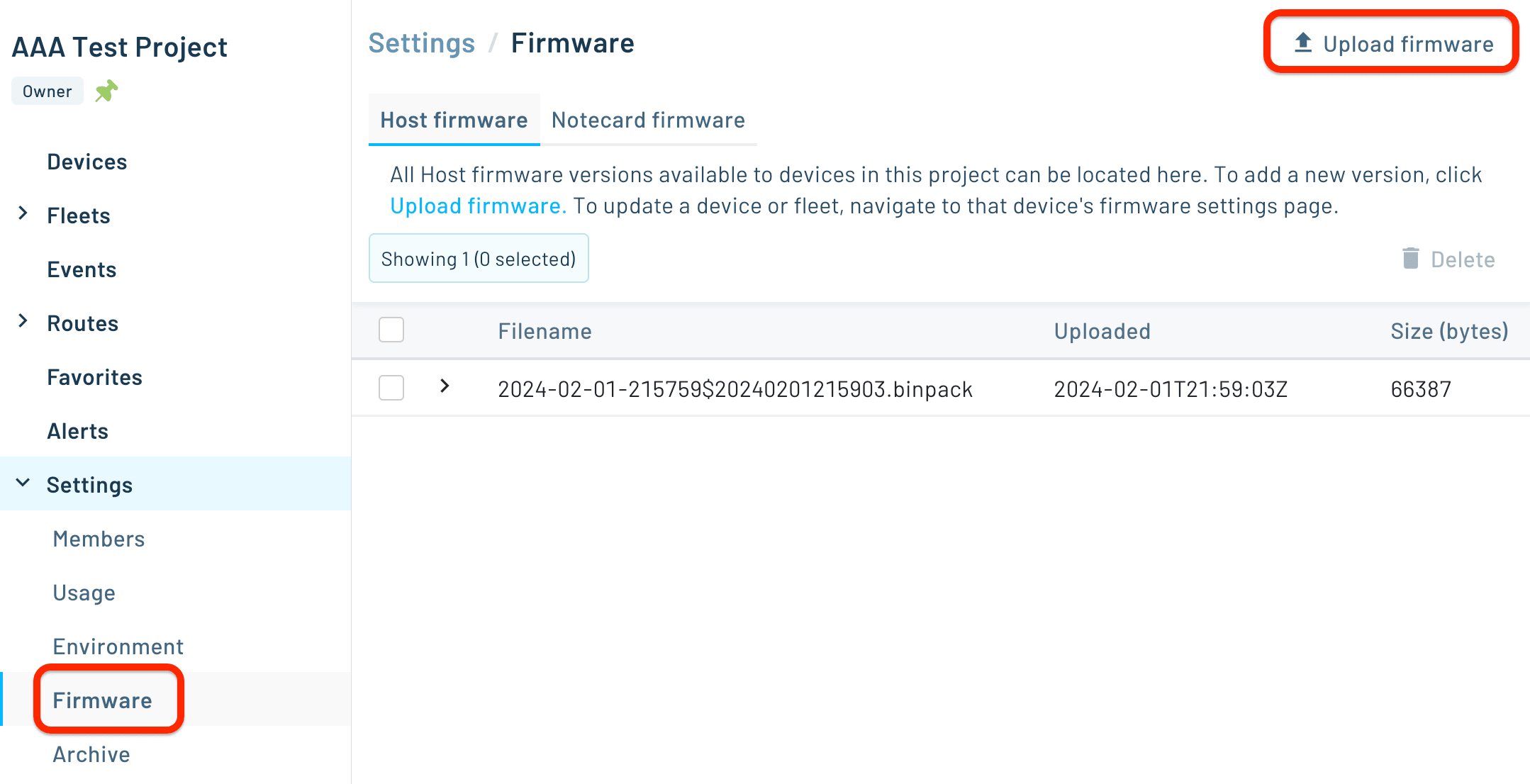
Select Settings > Firmware from the left navigation bar and click Upload Firmware.
-
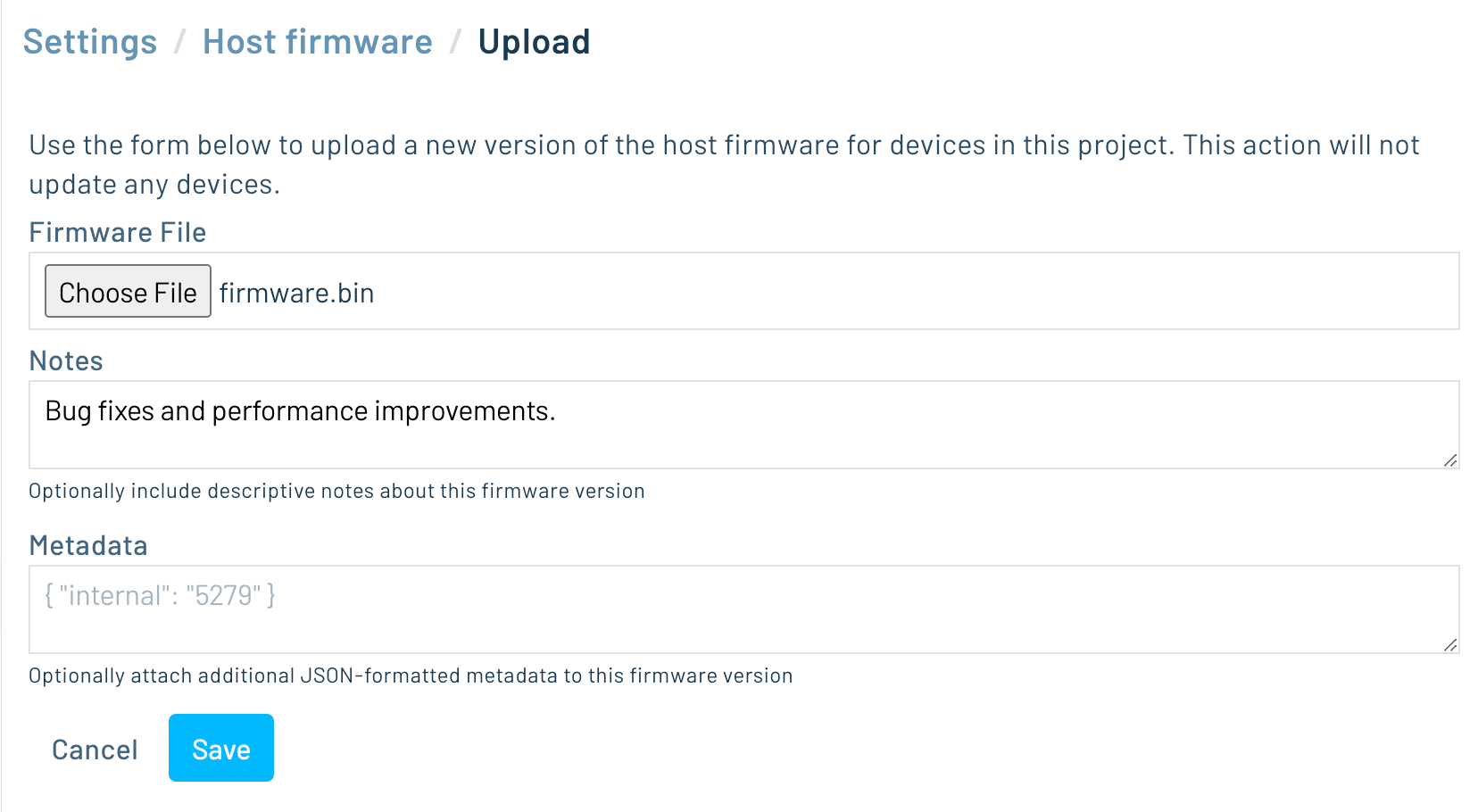
Upload your new firmware binary with the form provided.
Deploy Firmware
-
Select Devices from the left navigation bar, select a device from the list of devices in the Host Firmware tab, and then click Update.

-
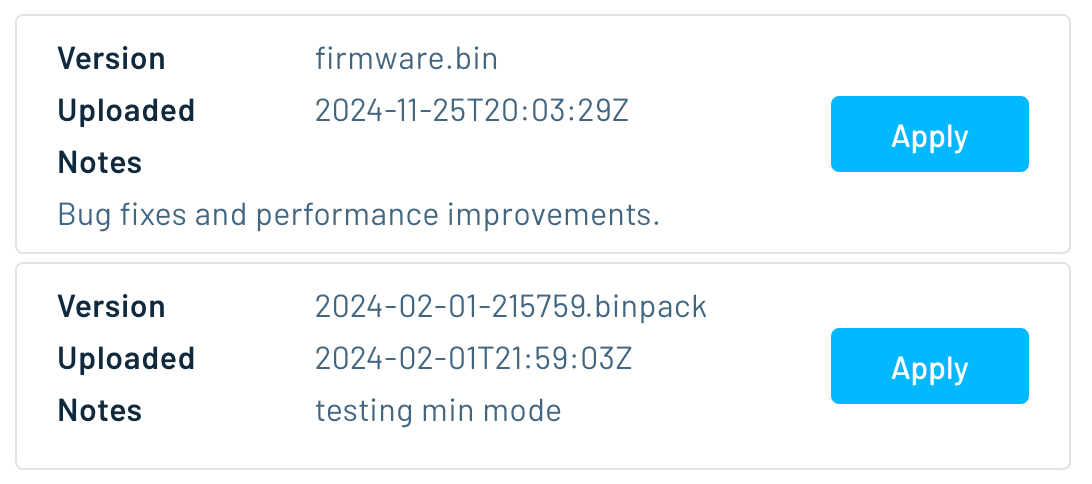
Select the firmware you wish to apply from the list of available firmware, and click Apply.
-
Consult Notecard API Requests for DFU to configure how Notecards process DFU requests.
Implementing IAP on the Host
Once a firmware binary has been uploaded to Notehub and a DFU action has been applied to a device, the host MCU is responsible for polling the Notecard, transferring the binary in chunks, validating it, and rebooting into the new image. Each individual API request used during this flow is documented on Notecard API Requests for DFU; the steps below show how those requests fit together end-to-end.
A typical host DFU loop, called periodically, performs the following actions:
-
Issues a
dfu.statusrequest to the Notecard and checks themodefield in the response to determine whether a firmware image is being downloaded by the Notecard (downloading), has finished downloading and is ready for installation (ready), failed to download (error), or no new firmware is available (idle). Only thereadymode should advance the loop. -
Prepares the host's secondary (inactive) partition or update region to receive the incoming binary. Do this before entering DFU mode, so that slow work like erasing a large flash region doesn't run against the DFU-mode timeout described below.
-
Once a new firmware binary has been downloaded and any pending network activity completes, issues a
hub.setrequest withmodeset todfu, signaling to the Notecard that the host is ready to retrieve firmware. Modern Notecards can skip this step and the next one (see When DFU Mode Is Required below for details). -
Confirms the Notecard has finished entering DFU mode by issuing a
dfu.getrequest withlengthset to0, which checks readiness without transferring data. The Notecard has to finish any in-progress network activity and close its connection first, so this request returns a{dfu-not-ready}error until that completes — retry it until it succeeds rather than assuming a fixed delay. See Ensuring Host DFU Mode is Active. -
Performs a series of
dfu.getrequests to obtain the host firmware binary in chunks, incrementingoffsetby the requestedlengthon each request. A single request returns at most 8192 bytes. Each chunk is CRC-validated and written to the host's update region using whatever flash-write or OTA utility the host platform provides.On Notecard firmware v9.1.1 and later, setting the
binaryargument totruedelivers each chunk through the Notecard's binary storage area instead of the base64-encodedpayloadfield, which is substantially faster for images of any real size. See Faster Transfers with the Binary Storage Area. -
After the entire binary is retrieved, issues another
hub.setwithmodeset todfu-completedto indicate that the Notecard can resume its normal operations. -
Performs a final CRC check, comparing the CRC of the downloaded firmware to the
body.crc32value provided by Notehub in the initialdfu.statusresponse. (The samebodyobject also carrieslengthandmd5values you can verify against.) If the values match, marks the new image as the boot target. -
Issues a
dfu.statusrequest with thestopfield set totrue. This ends the DFU, takes the Notecard out of DFU mode, and marks the updatecompletedso Notehub reflects the outcome. -
Restarts the host and begins running the new firmware.
warningIf you do enter DFU mode, the Notecard does not stay in it indefinitely. If 15
minutes elapse without a dfu.get request, the Notecard leaves DFU mode on its
own and resumes normal operation, and any in-progress transfer will start
failing. Each dfu.get request resets that timer.
If your host aborts partway through the update—because a dfu.get fails, or the
CRC check does not match—make sure your error path still takes the Notecard back
out of DFU mode with a hub.set request, and clears the DFU state so Notehub
reflects the outcome. See
Clearing DFU State
for the requests to use.
 tip
tipFor a complete reference implementation in C++ for the ESP32, see the
note-samples ESP32 DFU example
on GitHub. The dfu.cpp file in that repository implements the full loop above
and can be adapted to other host platforms.
When DFU Mode Is Required
Whether steps 3 and 4 above apply depends on where your Notecard stores the downloaded image, which is a property of the hardware rather than of your request.
Modern Notecards store the downloaded host firmware image in onboard flash and
can serve dfu.get at any time. On that hardware you can skip hub.set with
mode set to dfu entirely, and leave the Notecard connected and syncing
throughout the update.
However, the green Notecard Cellular (legacy) devices have no onboard flash, and they stage the image in the cellular modem's file system instead. These Notecards can only read that once it has closed its network connection, so DFU mode is mandatory.
If your fleets contain both types of devices, write your host firmware to handle
either scenario by issuing dfu.get first, and only if it returns a
not currently in the DFU operating mode error do you need to enter DFU mode
and retry. That same host binary then works on both kinds of Notecard.
Entering DFU mode is still worth considering on any Notecard if you want to suspend Notehub syncing for the duration of the update.
Notecard Outboard Firmware Update Notehub API Requests for DFU