Notecard for Skylo Starter Kit Quickstart
Welcome to Blues! Our tutorials below will help you get up and running with a Blues Notecard for Skylo Starter Kit. If you run into any problems, or have any questions along the way, feel free to reach out in our forum.
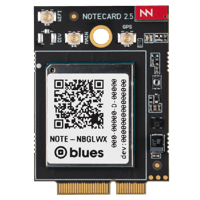
1. Use Notecard to Send Data
Learn how to connect to Notecard, how to set up Notecard’s companion cloud backend, Notehub, and how to start working with data.
Start the Notecard Quickstart
2. Send Data Over Satellite
Learn how to configure Notecard for Skylo for NTN connectivity and send your first data over a satellite connection.
Start the Notecard for Skylo Quickstart
3. Set Up Your Microcontroller
Learn how to set up the STM32-based MCU on your Notecarrier CX. After this step you'll be ready to communicate with your Notecard from an MCU.
Set Up Your MCU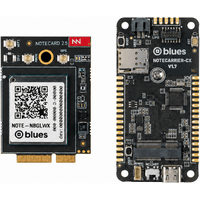
4. Build Your First IoT App With Blues
Learn how to write firmware using the Notecard SDKs. You'll send mock temperature and humidity readings to the cloud at a regular interval.
Build Your First App
5. Explore Your Data With Notehub IQ
Learn how to explore the data in your Notehub project by asking questions in plain language, from your browser or your own AI agent.
Explore Your DataNext Steps
Now that you know the basics of how Notecard and Notehub work, you’re ready to apply what you’ve learned towards a real project. We have a few recommendations on what to do next:
-
Send Data to Your Cloud: Notehub routes let you securely forward your events to AWS, Azure, Google Cloud, MQTT brokers, IoT dashboards, and any HTTP endpoint. This hands-on tutorial walks you through creating your first route.
-
Get Your
hub.setConfiguration Right: Yourhub.setsettings determine how and when your Notecard connects and syncs with Notehub, so it's important to tune those settings to your project's power and data needs. For a deeper look, watch An In-Depth Guide to Notecard’s hub.set Request, which steps through real-world configuration scenarios. -
Learn Satellite Best Practices: Learn tips to help you build a solution that maximizes the utility of your satellite connectivity, while minimizing unnecessary usage of your data allocation.
-
Check Out Best Practices for Production Projects: This skimmable guide has a list of best practices for moving your project from a prototype to a real, production-ready deployment.
-
Follow the Notehub Walkthrough: Learn how to manage projects and device fleets, update Notecard and host firmware, set up alerts, securely route your data, and more.
At any time, if you find yourself stuck, please reach out on the community forum.