Remote Apiary Hive Health Monitor
 note
noteThis reference application is intended to provide inspiration and help you get started quickly. It uses specific hardware choices that may not match your own implementation. Focus on the sections most relevant to your use case. If you'd like to discuss your project and whether it's a good fit for Blues, feel free to reach out.
Building with an AI assistant? Point it at this accelerator's firmware — firmware/apiary_hive_monitor/ — so it can learn how the device works and help you adapt it to your hardware.
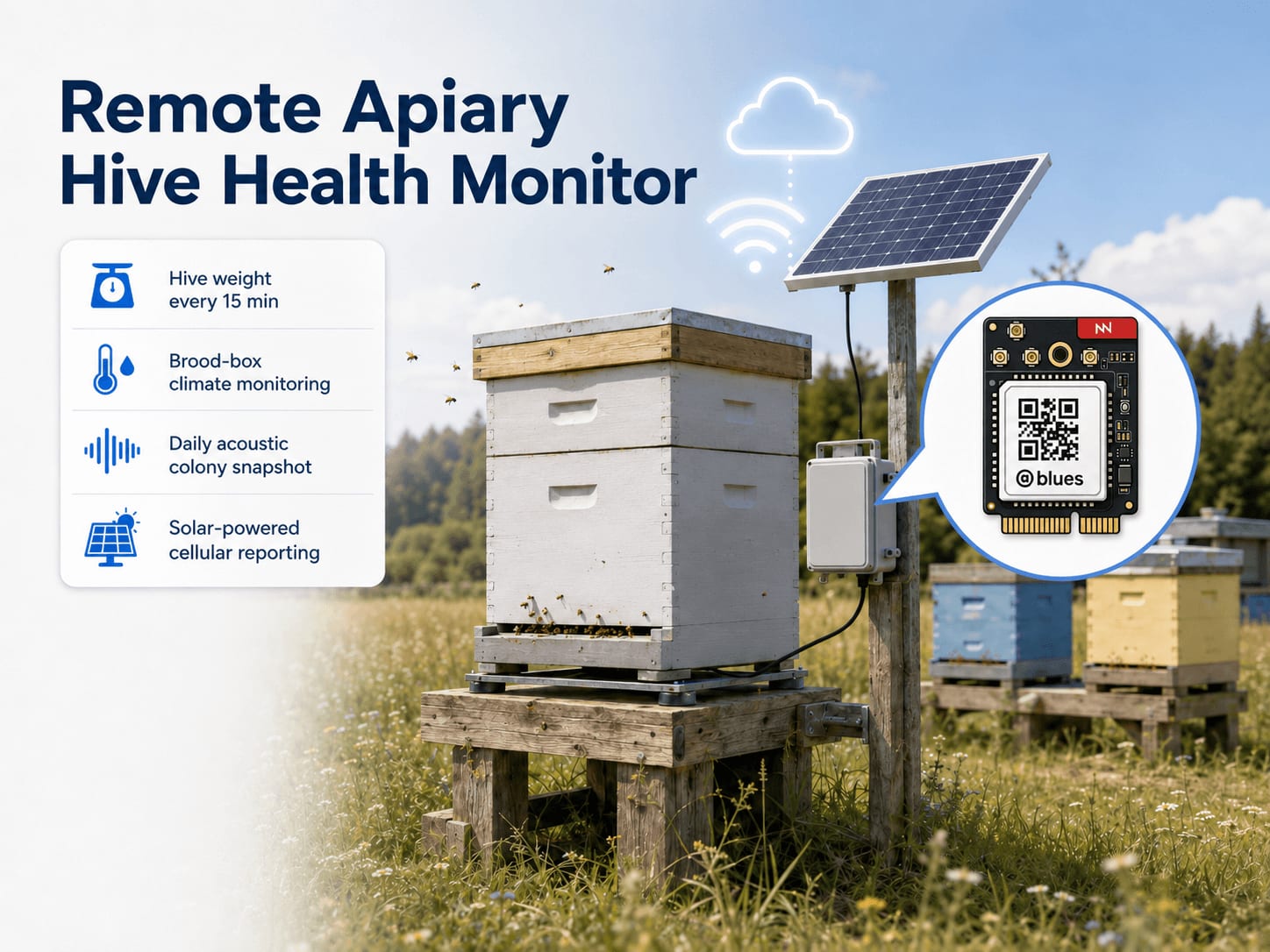
This project is a solar-powered hive monitor that turns each hive into a remotely-monitored asset — tracking hive weight and brood-box climate every 15 minutes, capturing a brief acoustic snapshot of the colony once per day, and reporting it all without grid power and without a truck roll every time the data looks wrong. A single Notecard for Skylo carries cellular, WiFi, and Skylo satellite radios on one module and fails over between them automatically, so the same hardware and firmware reach the Blues Notehub cloud service from an orchard with cell coverage or a meadow beyond any tower.
1. Project Overview
The problem. Commercial beekeepers run apiary yards in orchards, fields, and forest edges where there is no electrical infrastructure and no cellular signal worth depending on. A full-sized Langstroth hive in production can weigh 40–80 kg, and the signs that separate a thriving colony from a dead one — or from a hive that has just swarmed and taken 10,000 bees with it — are measured in kilograms, degrees, and the subtle shift in pitch of the colony's acoustic hum. None of those signals are observable from a distance without instrumentation, and traditional hive inspection — opening the box, smoking the bees, physically weighing the stand — takes time, disturbs the colony, and simply can't happen every 15 minutes. The result is that hive collapse, swarm departure, and queen loss are routinely discovered days after the fact, when the economic damage is already done.
This project is the remote set of eyes and ears that a beekeeper wants but cannot afford to physically station at every yard. A single weatherproof enclosure mounted on the hive stand reads three independent signals: weight (colony biomass and honey stores), temperature and humidity inside the brood box (brood viability), and acoustic features sampled from an analog microphone inside the hive (behavioral state). Those three signals are processed locally — weight and temperature sampled every 15 minutes, audio captured once per day — then aggregated into a daily summary and pushed to Notehub: over cellular where a tower is in reach, and over the Skylo satellite network where one isn't. Notecard for Skylo selects the path automatically. The beekeeper gets one notification per day in steady state and an immediate alert when any signal crosses a threshold.
notePOC scope — daily audio snippet, features only. The acoustic path captures a single ~0.75-second snippet once per summary window (default: once per day). It computes zero-crossing rate (ZCR), RMS energy, and peak amplitude entirely on-device and transmits only those three numbers per summary. No raw audio is buffered, stored, or transmitted. Capturing audio once daily rather than every 15 minutes is consistent with the project scope — colony acoustic state evolves on the scale of hours, not minutes, and avoids the power and payload cost of continuous acoustic sampling. See §7 and §10 for details.
Why Notecard for Skylo. Apiaries are deliberately sited away from human
infrastructure — the whole point is to place bees near crops, meadows, or forest
edges where forage is available and human disturbance is minimal. Those sites
have no AC power and often marginal or absent cellular coverage. Every one of
those constraints rules out the conventional IoT stack: a gateway-plus-cloud-SIM
architecture requires months of site negotiation per yard, and a device that
only works in strong cellular signal will fail at exactly the locations where
bees are most productive. Notecard for
Skylo
(NOTE-NBGLWX) carries three radios on one M.2 module — cellular (LTE-M / NB-IoT
/ GPRS) with its own prepaid global SIM, WiFi, and satellite over the
Skylo non-terrestrial network (NTN) — and selects
among them automatically. There is no per-site IT negotiation and no carrier
contract, and no second device or part-number decision for the yards that sit in
coverage gaps: the firmware sets a single
card.transport
preference of wifi-cell-ntn (prefer WiFi, fall back to cellular, fall back
again to Skylo satellite) and the failover is handled inside the Notecard — the
host firmware never branches on which network is live. Skylo's geostationary
(GEO) network provides good coverage across open-sky terrain, which is exactly
what a hive stand in an open orchard or meadow provides. Skylo coverage is
geography- and service-region-dependent; verify current coverage for your
deployment region and review the satellite best practices
guide before relying on satellite as the
sole backhaul. The combination of low-power cellular with automatic satellite
failover is not a belt-and-suspenders add-on here; it is the architecture that
makes this deployable in the real operating environment of commercial
apiculture.
New to Blues?
Learn what we do in this 3-minute video that walks you through how we simplify wireless connectivity.
Learn what we do in this 3-minute video that walks you through how we simplify wireless connectivity.
Deployment scenario. The monitor lives in a small weatherproof enclosure zip-tied or screwed to the side of the hive stand. A 5 W solar panel on a short gooseneck bracket feeds a Li-ion battery through a solar MPPT charger. The load cell platform slides under the hive. Two sensor probes — one for temperature/humidity in the brood box, one for the microphone — thread through existing seams or ventilation holes. No modifications to the hive body are required; the bees never know anything has changed.
2. System Architecture

Device-side responsibilities. Every 15 minutes the Notecarrier CX's onboard
STM32L433 host is woken by the Notecard's ATTN pin via
card.attn, reads hive
weight and brood-box temperature and humidity, evaluates three independent
threshold rules, and folds the result into a running summary in RAM. Audio is a
once-a-day affair, not a once-every-15-minutes affair — colony acoustic state
evolves on the scale of hours, so the firmware captures a ~0.75-second snippet
on the rollover wake itself, computes the ZCR, RMS, and peak amplitude
on-device, and discards the raw samples. A tripped threshold queues an alert
Note immediately; a normal day's summary goes to the Notecard for the next
outbound sync. Between wakes the host sleeps in STM32 STOP2 — a few microamps,
RAM intact — until the Notecard's ATTN pin raises it again. Raw audio never
leaves the device.
Notecard responsibilities. Notecard for Skylo buffers each
Note on its on-device flash queue and opens a
network session on the configured
hub.set outbound cadence.
The card.transport wifi-cell-ntn preference set at boot decides the path
automatically — cellular where a tower is in reach, Skylo satellite where the
orchard sits beyond terrestrial coverage — so the beekeeper's daily summary
still reaches Notehub whether the apiary has cellular bars or not, with no
firmware branching on which radio is live. Alert Notes carry sync:true to
bypass the outbound timer; the beekeeper hears about a weight-drop event in the
same minute it crosses the threshold (minutes, when the unit is on satellite),
not at the next scheduled flush. Environment
variables
pushed from Notehub retune thresholds and cadences in the field without anyone
driving out to reflash firmware.
Notehub responsibilities. Each unit's embedded global SIM gets the Notecard onto carrier cellular worldwide and delivers data to Notehub over the Internet, which ingests every event and applies the project's routes. Hive summaries and alerts arrive in separate Notefiles, so the beekeeper's SMS endpoint and the long-term weight-trend store can be served from the same device without any filter logic in between.
Routing to the cloud (high level). Notehub supports HTTP, MQTT, AWS, Azure, GCP, Snowflake, and other targets; route configuration is project-specific and out of scope here. See the Notehub routing docs.
3. Technical Summary
-
Flash the firmware. Replace
PRODUCT_UIDinfirmware/apiary_hive_monitor/apiary_hive_monitor.inowith your Notehub ProjectUID, then install the dependencies, build, and upload:arduino-cli core install STMicroelectronics:stm32 arduino-cli lib install "Blues Wireless Notecard" "STM32duino Low Power" "STM32duino RTC" "HX711 Arduino Library" "Adafruit SHT31 Library" arduino-cli compile --fqbn STMicroelectronics:stm32:Blues:pnum=CYGNET,usb=none firmware/apiary_hive_monitor/apiary_hive_monitor.ino arduino-cli upload -p /dev/ttyACM0 --fqbn STMicroelectronics:stm32:Blues:pnum=CYGNET,usb=none firmware/apiary_hive_monitorThe
usb=noneboard option disables the USB CDC stack, which must be off for the host to sleep (see §7). The board options matchfirmware/apiary_hive_monitor/sketch.yaml, so omitting--fqbnalso works when invoked from the sketch directory. -
Wire sensors. Connect HX711 (D5, D6), SHT31-D (SDA, SCL), and MAX9814 (A0) to Notecarrier CX per §5, and fit the
ATTN→D9jumper that lets the Notecard wake the host (§5). Seat Notecard for Skylo in the M.2 slot and connect itsMAINandGPSantennas (§5). -
Validate power. Use Mojo (bench only) to confirm ~15–40 mA active, ~100–400 µA asleep. Confirm temperature/humidity readings and audio ZCR in summaries before field deployment.
-
Commission in Notehub. Create a project, claim the Notecard, set
hx711_calibrationwith known-weight test (§9 procedure), and set environment variables at the fleet level. Deploy.
What you'll have: One compact daily Note with hive weight (kg), temperature/humidity averages, and acoustic features (ZCR, RMS, peak). Immediate alerts for weight drops, temperature anomalies, or acoustic changes. Full deployment to off-grid sites without cellular infrastructure.
Payload example — hive_summary.qo (daily, compact template):
{
  "weight_kg": 42.3,
  "weight_delta": -0.8,
  "temp_c_avg": 34.7,
  "humidity_avg": 67.2,
  "zcr_avg": 724,
  "rms_avg": 0.12,
  "peak_avg": 0.38,
  "samples": 96,
  "batt_mv": 3842
}
Alert example — hive_alert.qo (immediate, sync:true):
{
  "alert": "weight_drop",
  "value1": 4.7,
  "value2": 37.6,
  "batt_mv": 3901
}
Here is a sample Note this device emits:
{
  "file": "hive_summary.qo",
  "body": {
    "weight_kg":     42.3,
    "weight_delta":  -0.8,
    "temp_c_avg":    34.7,
    "humidity_avg":  67.2,
    "zcr_avg":       724,
    "rms_avg":       0.12,
    "peak_avg":      0.38,
    "samples":       96,
    "batt_mv":       3842
  }
}
4. Hardware Requirements
| Part | Qty | Rationale |
|---|---|---|
| Notecarrier CX (buy) | 1 | Integrated carrier with an embedded STM32L433 host MCU — no separate Swan needed. Provides A0–A5 analog inputs, SDA/SCL I2C, and digital GPIO pins sufficient for all three sensors plus the ATTN wake jumper. The host sleeps in STOP2 between wakes and the Notecard's ATTN pin wakes it. |
| Notecard for Skylo (NOTE-NBGLWX) (buy) | 1 | One M.2 module carrying cellular (LTE-M / NB-IoT / GPRS, Quectel BG95-S5 modem), WiFi (Silicon Labs WFM200S), and Skylo satellite (NTN) radios. Seats into the Notecarrier CX M.2 slot. The firmware's card.transport wifi-cell-ntn setting makes it prefer cellular at in-coverage apiaries and fall back automatically to the Skylo satellite network at yards beyond cellular reach — no second device or part-number decision, and no separate satellite enclosure. The integrated prepaid global SIM means no carrier contract and no per-site IT negotiation. Skylo GEO coverage varies by geography and service region; verify coverage for your deployment area before relying on satellite as the sole backhaul (see satellite best practices). This design does not configure or transmit device location — the board's GPS/GNSS receiver is used by the satellite stack internally for timing and ephemeris, not as a user-facing location source. Requires the antennas below. |
| M16 cable glands (nylon, IP68) | 2 | One for the sensor cable bundle and one for the antenna pigtail penetration in the main enclosure. |
| Blues Mojo (buy) | 1 | Bench commissioning only. Coulomb counter for power-budget validation. Mounts inline on the Sunny Buddy load rail between the charger and the Notecarrier CX +VBAT pad; wired to Notecarrier CX Qwiic during bench testing. Must be removed from the field assembly before deployment. See §9 for usage. |
| SparkFun Load Cell Amplifier HX711 (SEN-13879) | 1 | 24-bit ADC front-end designed for Wheatstone-bridge load cells; interfaces to the host via two GPIO pins using bit-bang protocol. |
| Zemic H8C-C3-100KG single-ended shear-beam load cell | 1 | IP67-rated alloy-steel single-ended shear-beam cell, 100 kg capacity, OIML C3 accuracy class, 4-wire Wheatstone bridge with 1 m cable. The H8C is normally one of 3–4 cells in a platform scale; for this single-cell POC it is mounted as a cantilever weigh module (fixed end bolted to a rigid bracket, free end carrying the load through a button or rocker pin). See §5 for the mount detail and §10 for the off-center loading limitations this introduces. Sized for a loaded double-brood Langstroth with supers (typically 40–80 kg). Available through Zemicus USA and Zemic-authorized scale-supply distributors. |
| Adafruit Sensirion SHT31-D Temperature & Humidity Sensor (product #2857) | 1 | I2C sensor for inside-brood-box temperature and humidity; rated for high-humidity operation. Connected to the Notecarrier CX I2C header pins (VIN, GND, SDA, SCL) via four female-to-female jumper wires — the Notecarrier CX dual 16-pin header uses 0.1″ pitch, which does not accept a Qwiic/STEMMA QT connector directly. Brood temperature must stay 34–35 °C for healthy brood development — this is the most sensitive single health indicator in the hive. |
| Adafruit Electret Microphone Amplifier MAX9814 (product #1713) | 1 | Analog amplified electret microphone with automatic gain control (AGC). Output connects to A0 on the Notecarrier CX for ADC sampling. The MAX9814's AGC keeps the signal in range across the wide amplitude variation between a quiet winter cluster and an agitated defensive colony. |
| SparkFun Sunny Buddy MPPT Solar Charger (PRT-12885) | 1 | Maximum power point tracking (MPPT) solar charger for single-cell Li-ion or LiPo (both chemistries share a 4.2 V CC/CV charge profile). Solar panel connects to the barrel-jack input (IN+/IN−); the battery connects to the BATT JST connector or BAT+/GND screw terminals; the LOAD+/GND output supplies the downstream device rail (Notecarrier CX via Mojo on the bench, or directly in the field). |
| Adafruit Lithium Ion Battery Pack 3.7V 4400mAh (#354) | 1 | Energy buffer for overnight and cloudy-day operation. The pack is two 18650-format Li-ion cells in parallel with integrated protection; the form factor and chemistry both differ from a LiPo pouch and the thermal-limit guidance in §10 is written specifically for Li-ion. At the nominal 15-minute sample cadence with the sleep-dominant firmware profile, estimated active-phase daily consumption is roughly 12–18 mAh (96 wakeup cycles × ~10 seconds at ~40 mA, plus one daily LTE Cat-1 bis sync at ~200 mA × ~60 seconds). The sleeping assembly also draws approximately 100–400 µA quiescent (Notecard low-power idle plus Notecarrier CX regulator and Sunny Buddy quiescent. See §9 power table), adding roughly 2.4–9.6 mAh/day. The whole-system daily budget is therefore approximately 14–28 mAh/day, giving a 4 400 mAh pack at 80 % depth of discharge (3 520 mAh usable) on the order of 125–250 days of reserve without any solar contribution. Actual reserve depends on NTN session frequency, cellular signal quality, and ambient temperature effects on Li-ion capacity — validate with Mojo during bench commissioning. Includes a JST-PH 2-pin connector that mates directly with the Sunny Buddy BATT JST port. |
| Voltaic Systems P105 5W 6V ETFE Solar Panel | 1 | 5 W, 6 V (peak 6.12 V / 940 mA) monocrystalline ETFE panel rated for long-term outdoor use. Ships with a 3.5 mm × 1.1 mm DC plug that inserts directly into the Sunny Buddy's barrel-jack solar input. At 940 mA peak, a full recharge of the 4400 mAh pack takes under 5 hours of direct sun. |
| Hammond 1554F2GY polycarbonate enclosure (IP66, 120 × 90 × 60 mm) | 1 | IP66 polycarbonate enclosure with opaque lid, sized to house the Notecarrier CX, Sunny Buddy, and Li-ion pack. Drill two M16 cable-gland holes: one for the sensor cable bundle, one for the SMA antenna pigtail. The antenna mounts outside the enclosure (see antenna rows below), so the opaque lid does not affect the satellite or cellular link. Available from Hammond and authorized distributors. |
| 4× female-to-female jumper wires, 150–200 mm (e.g. Adafruit #266) | 1 set | Connect the SHT31-D breakout's 0.1″ header pins (VIN, GND, SDA, SCL) to the matching pins on the Notecarrier CX dual 16-pin header. |
| STEMMA QT / Qwiic cable, 100 mm | 1 | Connects Mojo's Qwiic port to the Notecarrier CX Qwiic connector during bench commissioning so the coulomb-counter tally is readable from the blues.dev In-Browser Terminal; remove this cable before field deployment. |
| Skylo-certified LTE/satellite antenna included with Notecard for Skylo (u.FL) | 1 | Connects to the MAIN u.FL port and carries both the terrestrial cellular signal and the Skylo satellite link — a single antenna for both networks. Use only the Skylo-certified antenna supplied with Notecard for Skylo; substituting an uncertified antenna risks regulatory non-compliance and link failure. Mount it outdoors on the enclosure lid or hive-stand upright with an unobstructed view of the sky (northern hemisphere: the southern sky toward the equator, where Skylo's GEO satellites sit), routed through a liquid-tight fitting. For an external SMA mount instead of the bare u.FL antenna, add a u.FL-to-SMA-F bulkhead pigtail (e.g. Adafruit #851) through the enclosure wall. |
| Passive GPS/GNSS antenna (u.FL) per the Notecard for Skylo datasheet | 1 | Connects to the GPS u.FL port for GNSS time/ephemeris used internally by the satellite stack. Mount outdoors with a clear sky view alongside the main antenna; route through a liquid-tight fitting. |
Bundled connectivity (Notecard for Skylo): Ships with an active global SIM including 500 MB of cellular data and 10 years of service, plus 10 KB of bundled Skylo satellite data — no activation fees, no monthly subscription, and no separate satellite provider subscription. Minimizing inbound sync frequency conserves the bundled satellite allocation; see §2 and §7 for guidance.
5. Wiring and Assembly

The enclosure mounts on the hive stand and the bees never know it's there —
three sensor leads thread through existing seams, one short jumper on the header
lets the Notecard wake the host, the antenna lives outside on the lid, and a
small solar panel feeds the whole thing from a gooseneck bracket nearby. Every
host I/O lands on the Notecarrier
CX dual 16-pin headers,
and Notecard for Skylo seats into the M.2 slot. Its MAIN u.FL port connects to
the included Skylo-certified antenna — which carries both the cellular and
satellite signals — and its GPS u.FL port connects to the passive GPS/GNSS
antenna; both mount outside the box with an unobstructed view of the sky.
Power chain. The Sunny Buddy MPPT charger sits between the solar panel and
the Li-ion battery. The Li-ion pack connects to the Sunny Buddy's BATT JST
connector (or BAT+/GND screw terminals). The system load is drawn from the
Sunny Buddy's LOAD+/GND screw terminals; the Notecarrier CX +VBAT pad
connects to LOAD+ and GND connects to the common ground rail. During bench
commissioning, Mojo sits inline on the positive load rail to measure downstream
device current:
- Solar panel DC plug → Sunny Buddy barrel jack (
IN+/IN−) - Battery JST-PH → Sunny Buddy
BATTJST connector (charges battery from solar via MPPT; battery negative is at Sunny BuddyGND, which is common withLOAD GNDandIN−on the Sunny Buddy PCB) - Sunny Buddy
LOAD+→ MojoBATinput → MojoLOADoutput → Notecarrier CX+VBAT(bench only) - Sunny Buddy
LOAD GND→ MojoGND→ Notecarrier CXGND(bench: Mojo intercepts positive rail only; ground is unbroken and common across all three boards) - Sunny Buddy
LOAD+→ Notecarrier CX+VBAT(field deployment, remove Mojo) - Sunny Buddy
LOAD GND→ Notecarrier CXGND(field deployment, direct ground return)
Mojo in this position measures the current flowing from the Sunny Buddy's load rail to the Notecarrier — the total downstream device draw, not the battery charge/discharge current directly. Ground is never interrupted by Mojo; it passes through directly to both the Notecarrier CX and back to the Sunny Buddy.
HX711 load cell amplifier:
- HX711
VCC→ Notecarrier CX+3V3_OUT - HX711
GND→ Notecarrier CXGND - HX711
DOUT→ Notecarrier CXD5 - HX711
PD_SCK→ Notecarrier CXD6 - Load cell
E+(excitation positive) → HX711E+ - Load cell
E−(excitation negative) → HX711E− - Load cell
A+(signal positive) → HX711A+ - Load cell
A−(signal negative) → HX711A−
Mount the H8C as a single-cell weigh module: bolt the fixed end (the end with the strain-gauge cable exit) to a rigid steel angle bracket secured to the base or pad block, leaving the free end unconstrained so it can deflect under load. Thread a loading button or rocker pin into the tapped hole on the free end and rest the hive stand on that loading point plus three outrigger anti-tip pads — the outriggers carry no load, they only prevent the platform from tipping. This converts a single-ended shear-beam, which is normally one of 3–4 cells in a platform scale, into a viable single-cell hive scale at the cost of the off-center loading errors documented in §10. Follow the orientation and bolt-torque values given in the H8C datasheet — installing the cell upside-down or with the load applied on the wrong end produces incorrect readings and can damage the gauges. Apply a thin bead of RTV silicone sealant around the cable exit to keep moisture out.
SHT31-D temperature and humidity sensor:
The Notecarrier CX dual 16-pin header uses 0.1″ pitch and does not accept Qwiic/STEMMA QT connectors directly. Use four female-to-female jumper wires to the SHT31-D breakout's 0.1″ through-hole pads:
- SHT31-D
VIN→ Notecarrier CX+3V3_OUT - SHT31-D
GND→ Notecarrier CXGND - SHT31-D
SDA→ Notecarrier CXSDA - SHT31-D
SCL→ Notecarrier CXSCL
The SHT31-D address defaults to 0x44; it coexists on the I2C bus with the Notecard without conflict.
- POC caveat — in-hive placement. The Adafruit SHT31-D breakout is not a sealed probe; it is an exposed PCB with a bare humidity membrane. The brood box interior runs at 34–36 °C and ≥ 85 % RH year-round, and propolis will accumulate on the PCB body over time. The Sensirion SHT31 sensor element itself is rated for high-humidity operation, but the breakout's solder joints and traces are not hardened for indefinite in-hive service. For short-term POC validation, thread the board in through an existing seam or ventilation slot, position the sensor head between frames 2 and 3 at mid-frame height, and coat the PCB body (not the sensing element) with beeswax or conformal coating to slow propolis adhesion. For production deployments, use a sensor with a sealed stainless probe tip rather than an exposed breakout board, and pot all external cable exits with marine-grade silicone or epoxy.
MAX9814 microphone:
- MAX9814
Vin→ Notecarrier CX+3V3_OUT - MAX9814
GND→ Notecarrier CXGND - MAX9814
Out→ Notecarrier CXA0 - Leave the MAX9814
Gainpin floating for the default 60 dB gain setting (adjustable to 50 or 40 dB with resistors if the AGC saturates in high-traffic hives). - POC caveat — microphone placement. The Adafruit MAX9814 breakout is an unenclosed PCB with an exposed electret capsule; it is not hardened for in-hive service. Mount the breakout board outside or at the edge of the hive entrance — close enough to pick up colony sound through the landing board gap — rather than placing it fully inside the hive body. The combination of 85 %+ RH, hive acids, and propolis buildup on and around the capsule opening will progressively attenuate the acoustic response; treating this as a long-term maintenance-free installation is not supported. For anything beyond short-term bench validation, apply conformal coating to the PCB (masking the capsule mesh opening) and thread only a thin wiring lead through the seam. If the application requires acoustic sensing from deep inside the brood box, use a sealed MEMS microphone module rated for high-humidity environments.
Analog reference (+V_AREF pin): Leave unconnected; the STM32L433 ADC uses
the internal 3.3 V reference for the A0 microphone input.
ATTN-to-D9 jumper (host sleep):
Fit a short jumper between the ATTN and D9 pins on the Notecarrier CX
header — both are on the same 16-pin header as the D5/D6 HX711 lines. (D5
is the usual choice for this jumper, but here it carries the HX711 data line, so
the firmware uses D9 instead via CX_ATTN_PIN.) The Notecard pulls ATTN low
while the host sleeps and raises it when the next sample is due; the rising edge
on D9 wakes the host from STOP2. Leave the Notecarrier CX EN pin
unconnected: on the CX it enables the shared 3.3 V VIO rail (host, Qwiic,
3V3_OUT, and Notecard I/O), so driving it from ATTN would brown out the
whole board rather than sleep the host. See Putting a Host to Sleep Between
Sensor
Readings
for the full pattern.
Antennas (single board, cellular + satellite + GPS):
Notecard for Skylo's MAIN u.FL antenna carries both the cellular and the
Skylo satellite signal — one antenna replaces what used to be a separate
cellular whip and an external satellite module's antenna.
- Connect the included Skylo-certified antenna's u.FL connector to the
Notecard's
MAINu.FL port. The connector orients with the cable center-pin facing the port — it clicks firmly when fully seated. Use only the Skylo-certified antenna supplied with the board; an uncertified substitute risks regulatory non-compliance and link failure. - Connect the passive GPS/GNSS antenna's u.FL connector to the Notecard's
GPSu.FL port. - Mount both antennas outside the enclosure with an unobstructed view of the sky. For satellite operation in the northern hemisphere, give the main antenna a clear view of the southern sky (toward the equator), where Skylo's GEO satellites sit; tilt and orient to maximize sky view. Route each through an M16 cable-gland port in the enclosure wall, or use a u.FL-to-SMA-F bulkhead pigtail (e.g. Adafruit #851) if you prefer an external SMA-mount antenna, securing the bulkhead with its lock nut from outside.
Because the satellite link uses the same MAIN antenna as cellular, the
placement that gives a good cellular signal also enables satellite fallback —
there is no second module to mount and no JST cable to run. The opaque Hammond
lid does not matter: both antennas live outside the box.
Mojo bench connection (remove before field deployment). During bench
commissioning, connect the second STEMMA QT / Qwiic cable from Mojo's Qwiic port
to the Notecarrier CX Qwiic connector. The Notecard can then report the Mojo
coulomb-counter tally (cumulative mAh, charge/discharge rate) in response to
card.power requests issued from the blues.dev In-Browser Terminal. Remove the
Mojo and Qwiic cable before sealing the field enclosure — the production
firmware does not query Mojo in the deployed build.
6. Notehub Setup
-
Create a project. Sign up at notehub.io and create a project. Copy the ProductUID and paste it into
firmware/apiary_hive_monitor/apiary_hive_monitor.inoasPRODUCT_UID. -
Claim the Notecard. Power up the unit at a location with cellular (or WiFi) coverage. Notecard for Skylo associates with your project on its first non-NTN sync. This initial cellular/WiFi sync is mandatory before satellite works: it registers the device with Notehub, registers the Notefile templates, downloads the current satellite ephemeris, and sets device time — all required before any NTN transmission will succeed. Commission each unit where it has terrestrial coverage even if it will routinely operate over satellite. See the satellite best practices guide.
First-boot timing Note. The firmware anchors the summary window to the first successful
card.timeresponse — the moment the Notecard returns a valid epoch rather than an error. Any sensor readings accumulated before that time anchor are discarded, and the window clock starts from that point. The firsthive_summary.qoNote therefore arrives after a fullreport_interval_hrwindow has elapsed from the first successful time sync (default: 24 hours from that anchor), which may be later than first power-up if the unit is commissioned indoors or in a weak-signal location before cellular or satellite lock is achieved. This is intentional — a summary sent before a valid time reference would contain at most a single sensor reading and no meaningful weight delta. -
Set a fleet per apiary yard. Fleets group devices for shared configuration. One fleet per yard lets you apply threshold environment variables at the yard level (all hives in a given orchard see similar ambient conditions) while overriding per-device for any hive that's known to be a heavy producer or an established swarm catcher.
-
Set environment variables. In Notehub, navigate Fleet → Environment and set any values below (all are optional; firmware defaults are shown in the table). Any value set at fleet or device level overrides the compile-time default on the device's next inbound sync. Use Smart Fleets to automate fleet assignment based on device metadata.
Commissioning Note — inbound cadence. The firmware configures
inbound: 10080(one week) to minimize satellite session costs. This means env var changes pushed from Notehub will not be pulled by the device until the next scheduled inbound, which may be up to seven days away. During bench commissioning, force an immediate inbound sync after each env var change by sending{"req":"hub.sync"}from the blues.dev In-Browser Terminal (upper right of the Notehub console). Alternatively, temporarily shorten the inbound interval for the bench session by sending{"req":"hub.set","mode":"periodic","outbound":1440,"inbound":15}from the terminal, and restore the weekly inbound ("inbound":10080) before field deployment.Variable Default Purpose sample_interval_min15Minutes between sensor readings and threshold evaluations. report_interval_hr24Hours between summary Notes. Changing this value also adjusts the Notecard's outbound sync cadence ( outbound = report_interval_hr × 60minutes): the firmware reissueshub.setautomatically on the next wake cycle after the env var is applied, so cellular and NTN transmission cost scales with summary frequency.weight_alert_kg_drop2.0Weight loss (kg) over the current summary window above which a weight_dropalert fires. Because the weight baseline (weight_first_kg) resets at the start of every summary window, this threshold applies over whateverreport_interval_hris set to — if you change the report interval to 12 hours, it becomes a 12-hour loss threshold. Tune per hive — a productive colony naturally loses weight on cool rainy days.temp_low_c32.0Brood-box temperature (°C) below which temp_anomalyfires. Below 32 °C brood viability drops rapidly.temp_high_c36.0Brood-box temperature (°C) above which temp_anomalyfires. Above 36 °C the colony is likely overheating or the sensor has shifted position.audio_zcr_alert1200Zero-crossing rate (counts per second) above which audio_anomalyfires. Elevated ZCR indicates a behavioral change from the colony's normal acoustic pattern; the specific cause requires physical inspection to determine. Baseline is typically 600–800 for calm, settled colonies, but varies by strain, season, and ambient noise environment.hx711_calibration2280.0HX711 scale factor (raw ADC counts per kg). Set this first using the known-weight procedure in §9. hx711_zero_offset_kg0.0Platform tare offset in kg. After calibrating the scale factor, set this to the reading reported by the empty platform (hive stand structure with no hive body). The firmware subtracts this value from every weight reading. See the tare procedure in §9. reset_state(not set) Set to 1and force an inbound sync to immediately clear all accumulated summary-window data and restart the time anchor on the next wake. The firmware will discard any partial window in progress and begin a fresh accumulation cycle from the point the next validcard.timeresponse is received. The reset is one-shot: the firmware records the current value in persisted state, so subsequent wakes that still readreset_state=1(which can continue for up to one inbound period, default one week — before Notehub delivers the cleared value) are silently skipped. You may leavereset_state=1in Notehub or remove it; either way the reset will not repeat. Setting the variable back to0or removing it and later setting it to1again will fire a second reset exactly once. Used during bench commissioning to start a known-clean calibration window. See §9. -
Configure routes. Add one route targeting
hive_alert.qo(low-volume, route to SMS/email gateway or a CMMS endpoint) and a second targetinghive_summary.qo(daily, route to a long-term analytics store for weight trend analysis across the season). Keeping the Notefiles separate at the source lets you fan them to different destinations without filter logic inside the route.
7. Firmware Design
The firmware does almost nothing most of the time — which is the whole point. Each 15-minute wake reads three sensors, folds the readings into a running summary, fires an alert if anything crossed a threshold, and goes back to sleep. The sketch is split across four files in the same directory so the wake-cycle logic stays separate from the sensor drivers, Notecard helpers, and the host-sleep mechanics:
firmware/apiary_hive_monitor/apiary_hive_monitor.ino— main sketch; wakeup sequencing, accumulation, alert evaluation, and sleep.firmware/apiary_hive_monitor/apiary_hive_monitor_helpers.h— sharedHiveStatestruct, extern declarations, and function prototypes.firmware/apiary_hive_monitor/apiary_hive_monitor_helpers.cpp— sensor drivers, Notecard helper functions, and summary/alert emission.firmware/apiary_hive_monitor/cx_sleep.h— host sleep:card.attnrequest, STOP2 entry, ATTN wake.
To open in Arduino IDE: File → Open and navigate to
firmware/apiary_hive_monitor/apiary_hive_monitor.ino. The IDE will pick up the
helper files automatically because they share the same directory.
Dependencies:
- Arduino core for STM32
(
stm32duino/Arduino_Core_STM32) — install via Arduino IDE Boards Manager. Blues Wireless Notecard(thenote-arduinolibrary) — install via Arduino Library Manager. See note-arduino releases for available versions; review the changelog for any breaking API changes before upgrading.HX711 Arduino Libraryby Bogdan Necula and Lukas Bachschwell — install via Library Manager.Adafruit SHT31 Library— install via Library Manager.STM32duino Low Power(and its dependencySTM32duino RTC) — install via Library Manager. Provides the STOP2 entry and ATTN-pin wake used incx_sleep.h.
Build settings: the Notecarrier CX's host is the same STM32L433 as the Blues
Cygnet, so the board is Blues boards → Cygnet (pnum=CYGNET), with USB
support (if available) set to None (usb=none). With the USB CDC stack
enabled and no USB host attached (battery power, or the Notecarrier CX USB-C
switch in NC), the STM32's USB wakeup interrupt fires continuously and the
host never stays in STOP2. Debug output (when DEBUG_SERIAL is defined in
apiary_hive_monitor_helpers.h) goes to the LPUART on the Notecarrier CX debug
jack instead — an ST-LINK V3 exposes it as a virtual COM port; see Serial
Logging With STLINK.
Modules
| Responsibility | Where |
|---|---|
Notecard configuration (hub.set, card.transport wifi-cell-ntn for automatic cellular→Skylo satellite fallback, disable accelerometer; no location configured, the board's GPS receiver is used internally by the satellite stack only) | notecardConfigure() |
| Note template definitions (compact, satellite-safe) | defineTemplates() |
| Environment variable fetch and clamping | fetchEnvOverrides() |
| HX711 10-sample weight average | readWeightKg() |
| SHT31-D I2C temperature and humidity | readTempHumidity() |
| Streaming audio feature extraction (ZCR, RMS, peak) | readAudioFeatures() |
| Threshold evaluation and immediate alert emission | sendAlert() |
| Daily aggregated summary emission | sendSummary() |
Host sleep (STOP2 until the Notecard raises ATTN on D9) | loop() → cx_sleep.h: cxSleepBegin(), cxSleepUntilAttn() |
| Application state (held in RAM across sleep cycles) | HiveState |
Sensor reading strategy
Weight. The HX711 is woken by pulling the PD_SCK pin low, then 10 successive
readings are taken and averaged. The HX711 library handles the bit-bang timing
internally. A calibration factor (hx711_calibration env var) converts raw
24-bit ADC counts to kilograms. After the read the HX711 is put to sleep (PD_SCK
held high) to eliminate its ~1.5 mA idle draw during the sleep cycle.
Temperature and humidity. A single SHT31-D measurement takes roughly 15 milliseconds; the library manages the I2C transaction and CRC check internally. Values are accumulated into running sums for the daily average; if the I2C read fails (returns NaN), the sample is excluded from the sum so a wired-off sensor does not bias the average to zero.
Audio feature extraction. Audio is captured once per summary window (by
default, once per day). The firmware checks the audio_sampled flag after
evaluating window expiry, not before. On a successful rollover the flag is
cleared before the audio check fires, so audio is captured on the rollover wake
itself, making that wake the true first wake of the new window for all three
sensor paths. On all subsequent wakes of the same window audio_sampled is set
and the microphone is not re-sampled. On a failed rollover (sendSummary()
returned false), audio_sampled is still true from the previous window and the
block is skipped — consistent with the frozen-snapshot retry behavior for weight
and temperature.
When audio is attempted, readAudioFeatures() runs 12 consecutive 256-sample
windows on A0 at approximately 4 kHz (AUDIO_SAMPLE_PERIOD_US = 225 µs), giving
a ~0.75-second snippet total. Features are computed without storing the full
audio buffer — which would require 32 KB at 16-bit resolution, a meaningful
fraction of the STM32L433's 64 KB SRAM. readAudioFeatures() returns a validity
flag: if the signal is implausible (DC offset outside the expected mid-rail band
indicating a floating or disconnected A0, more than 30 % of samples within 32
LSB of the ADC rail indicating clipping, or normalized RMS below a minimum
threshold indicating a dead or shorted microphone), the read is rejected. On an
invalid read, audio_anomaly is not evaluated, audio_sampled is still set to
prevent per-wake retries, and zcr_avg, rms_avg, and peak_avg emit −9999
— the same sentinel convention used for weight timeouts and temperature NaN
reads. Only the three computed features are stored or transmitted; no raw audio
is recorded.
- Zero-crossing rate (ZCR): Count of sign changes per second. Higher ZCR = higher frequency content = more active colony sound.
- RMS energy: Root-mean-square of the windowed samples, normalized to the 12-bit ADC range. Tracks overall hive activity level.
- Peak amplitude: Normalized maximum sample value in the window.
These three features are averaged across the 12 windows and stored in the daily accumulator. The ZCR is the primary anomaly indicator; RMS and peak are supplemental context in the daily summary payload.
Event payload design
Two
template-backed
Notefiles using "format": "compact" — required for Skylo NTN (satellite)
operation and good practice regardless, as compact templates reduce on-wire
payload size by 3–5× compared with free-form JSON, keeping each Note well within
the 256-byte NTN payload ceiling.
hive_summary.qo (daily, templated compact):
{
  "file": "hive_summary.qo",
  "body": {
    "weight_kg":     42.3,
    "weight_delta":  -0.8,
    "temp_c_avg":    34.7,
    "humidity_avg":  67.2,
    "zcr_avg":       724,
    "rms_avg":       0.12,
    "peak_avg":      0.38,
    "samples":       96,
    "batt_mv":       3842
  }
}
hive_alert.qo (immediate, sync:true, templated compact):
{
  "file": "hive_alert.qo",
  "body": {
    "alert":   "weight_drop",
    "value1":  4.7,
    "value2":  37.6,
    "batt_mv": 3901
  },
  "sync": true
}
The value1 and value2 fields carry alert-specific data: for weight_drop,
the daily loss in kg and the current hive weight; for temp_anomaly, the
current temperature and humidity; for audio_anomaly, the ZCR and RMS values. A
single compact template handles all three alert types.
Low-power strategy
After each 15-minute sample cycle, loop() calls cxSleepUntilAttn() (in
cx_sleep.h), which sends a
card.attn sleep
request for sample_interval_min × 60 seconds, waits for the Notecard to pull
ATTN low, and puts the STM32L433 into STOP2 — a few microamps with RAM intact.
When the interval elapses the Notecard raises ATTN; the rising edge on D9
wakes the host and execution resumes on the next line of loop(). Because the
host resumes in place rather than cold-booting, the runtime state (the
HiveState struct containing summary-window accumulators, last-alert
timestamps, the weight baseline, and the audio_sampled flag) simply lives in
RAM; nothing is serialized to the Notecard and setup() runs only once per
power-up. If the sleep request fails or ATTN never goes low (jumper missing),
loop() waits out the interval awake and tries again on the next cycle, so the
sample cadence is preserved either way. Between cellular sessions the Notecard
enters its published low-power idle state (~8–20 µA per the Notecard datasheet).
The HX711 is put to sleep via its PD_SCK pin after each weight reading. The
MAX9814 and SHT31-D stay powered from +3V3_OUT while the host sleeps (the rail
stays up in this design), but their quiescent draw is small, and audio sampling
itself occurs on only one of the 96 daily wake cycles.
notecardConfigure() also issues a one-time
card.transport
{"method":"wifi-cell-ntn"} at power-up so Notecard for Skylo prefers WiFi,
then cellular, then Skylo satellite — the fallback is enabled at the Notecard,
with no firmware branching on which radio is live (NTN is not enabled by
default, so this call is what makes satellite fallback possible). The Notecard
persists the setting in its own flash, so issuing it once is sufficient.
The initial sync cadence is set to outbound: 1440 (daily) to minimize
satellite transmission costs at sites that operate over NTN; sync:true on
alert Notes bypasses this timer and forces an immediate cellular or NTN session.
inbound is set to 10080 (one week) per the satellite best practices
guide, since each inbound satellite ping
costs approximately 50 bytes of the bundled 10 KB satellite allocation.
Environment variable changes are applied on the next scheduled inbound sync.
When report_interval_hr is changed in Notehub, the firmware automatically
reissues hub.set with outbound = report_interval_hr × 60 on the next wake
cycle after the env var is picked up, keeping the Notecard's transmission
schedule aligned with the local summary cadence. Changing report_interval_hr
to 12 (for example) therefore both shortens the summary window and reduces the
outbound sync interval to 720 minutes on the same wake cycle — no manual
hub.set intervention required.
Retry and error handling
- The first Notecard transaction —
hub.setinsidenotecardConfigure()— usesrequestAndResponse(), which lets the code inspect the Notecard'serrresponse field before treating the call as successful.first_bootis cleared only when the Notecard confirmshub.setwas accepted without an error, not merely when the I2C transport completed, so a configuration that was rejected or silently dropped does not permanently skip setup. - SHT31-D reads that return NaN are excluded from daily temperature and humidity
averages. The firmware maintains a separate
temp_valid_countfor successful SHT31-D reads so that failed reads do not bias the average toward zero. Iftemp_valid_countis zero at summary time (every read failed),sendSummary()callssafeAvg()which emits−9999as a sentinel, allowing downstream analytics to distinguish a total sensor failure from a near-zero valid reading. - HX711 reads that timeout (no data-ready pulse within 500 milliseconds) return
−1.0and are excluded from the daily weight average. - Alert cooldown (
ALERT_COOLDOWN_MIN, default 60 minutes) prevents a slowly drifting sensor from issuing a new page every 15 minutes until the threshold is corrected or the condition resolves. - Audio reads that fail hardware-plausibility checks are rejected entirely:
readAudioFeatures()returnsfalsewhen the DC offset is outside the expected mid-rail band (a floating or disconnected A0 input reads near 0 or 4095), when more than 30 % of samples in a window fall within 32 LSB of the ADC rail (railed or severely clipping input), or when the normalized RMS falls below the minimum signal threshold (dead or shorted microphone capsule). On an invalid readaudio_anomalyis not evaluated,audio_sampledis still set to prevent per-wake retries for the rest of the window, andzcr_avg,rms_avg, andpeak_avgemit−9999in the summary — the same sentinel convention used for weight timeouts (−1.0read → excluded,safeAvgemits−9999) and temperature NaN reads. A persistent−9999across consecutive daily summaries indicates a hardware failure (disconnected wire, failed capsule, or corroded contact) requiring physical inspection.
Key code snippet 1: compact template definition
The "format": "compact" field is required for Skylo NTN (satellite) operation
and cuts the per-Note wire size by 3–5× (e.g., a 200-byte JSON Note becomes
~40–80 bytes in compact form). port must be in the range 1–100. The numeric
format codes (e.g., 14.1, 12) describe the wire encoding: 14.1 means a
4-byte IEEE 754 float, 12 means a 2-byte signed integer. The Notecard handles
encoding/decoding automatically; no manual work required.
J *req = notecard.newRequest("note.template");
JAddStringToObject(req, "file", "hive_summary.qo");
JAddNumberToObject(req, "port", 10);
JAddStringToObject(req, "format", "compact");
J *body = JAddObjectToObject(req, "body");
JAddNumberToObject(body, "weight_kg",    14.1);  // 4-byte IEEE 754 float
JAddNumberToObject(body, "weight_delta", 14.1);
JAddNumberToObject(body, "temp_c_avg",   14.1);
JAddNumberToObject(body, "humidity_avg", 14.1);
JAddNumberToObject(body, "zcr_avg",      12);    // 2-byte signed integer
JAddNumberToObject(body, "rms_avg",      14.1);
JAddNumberToObject(body, "peak_avg",     14.1);
JAddNumberToObject(body, "samples",      12);
JAddNumberToObject(body, "batt_mv",      12);
notecard.sendRequest(req);
Key code snippet 2: two-pass streaming audio feature extraction
Each 256-sample window is processed in two passes so that the per-window DC
operating point is computed from the actual samples rather than assumed to be
the ADC midpoint (2048). The MAX9814's AGC shifts the quiescent DC level across
installations; measuring it directly makes the ZCR threshold portable without
per-board recalibration. ZCR is also derived from the measured wall-clock window
duration (t1 − t0) rather than a nominal sample rate, so it is accurate
regardless of MCU speed or analogRead() latency.
analogReadResolution(12);   // 0–4095 range; 2048 is the normalization half-range

// Pass 1: collect raw samples and sum for DC mean; bracket with micros() for
// accurate ZCR (counts/second derived from actual elapsed time, not nominal rate)
int16_t samples[AUDIO_WINDOW_SAMPLES];
int32_t dc_sum = 0;
unsigned long t0 = micros();
samples[0] = (int16_t)analogRead(PIN_MIC);
dc_sum = samples[0];
for (int i = 1; i < AUDIO_WINDOW_SAMPLES; i++) {
    delayMicroseconds(AUDIO_SAMPLE_PERIOD_US);
    samples[i] = (int16_t)analogRead(PIN_MIC);
    dc_sum += samples[i];
}
unsigned long t1 = micros();
int32_t dc_offset = dc_sum / AUDIO_WINDOW_SAMPLES;   // per-window DC mean
float   dur_s     = (float)(t1 - t0) * 1e-6f;        // actual window duration

// Pass 2: subtract DC mean, count sign changes, accumulate RMS / peak
uint32_t crossings = 0;
float    sum_sq    = 0.0f, peak_abs = 0.0f;
int32_t  prev = (int32_t)samples[0] - dc_offset;
for (int i = 1; i < AUDIO_WINDOW_SAMPLES; i++) {
    int32_t cur = (int32_t)samples[i] - dc_offset;
    if ((prev < 0 && cur >= 0) || (prev >= 0 && cur < 0)) crossings++;
    float norm = (float)cur / 2048.0f;   // normalize to [-1, 1]
    sum_sq += norm * norm;
    if (norm < 0.0f) norm = -norm;
    if (norm > peak_abs) peak_abs = norm;
    prev = cur;
}
float zcr = (float)crossings / dur_s;                    // counts per second
float rms = sqrtf(sum_sq / (float)(AUDIO_WINDOW_SAMPLES - 1));
These per-window results are averaged across all 12 windows
(AUDIO_NUM_WINDOWS) to produce the zcr_avg, rms_avg, and peak_avg fields
in hive_summary.qo.
Key code snippet 3: sleeping until the Notecard raises ATTN
cxSleepUntilAttn() asks the Notecard to hold ATTN low for
sample_interval_min × 60 seconds, confirms the pin has gone low, and puts the
STM32 into STOP2. The host stays alive, so the card.attn call is a request
whose result is checked rather than a fire-and-forget command. D5 is taken by
the HX711, so the sketch defines CX_ATTN_PIN as D9 before including
cx_sleep.h.
#define CX_ATTN_PIN D9      // D5 is the HX711 data line
#include "cx_sleep.h"

// In setup() — arm the ATTN wake once
cxSleepBegin();

// At the end of loop() — sleep until ATTN rises; the state struct stays in RAM
if (!cxSleepUntilAttn(notecard, (uint32_t)sampleMin * 60u, NULL, log)) {
    // The Notecard didn't take the sleep request, or ATTN never went low
    // (check the ATTN -> D9 jumper). Keep the sample cadence and try again.
    delay((uint32_t)sampleMin * 60000UL);
}
8. Data Flow

Collected. Every 15 minutes: hive weight in kg (10-sample HX711 average) and brood-box temperature (°C) and relative humidity (%). Once per summary window (default daily, on the rollover wake): audio zero-crossing rate (counts/s), RMS energy, and peak amplitude from a ~0.75-second acoustic snapshot.
Accumulated. Readings are summed into per-metric accumulators in RAM (retained through STOP2 sleep). No raw samples are queued to the Notecard — only aggregated values and alert conditions.
Transmitted.
hive_summary.qo— one compact-template Note everyreport_interval_hr(default 24 hours). Each numeric field is the mean of its valid samples over the window; a field with zero valid reads emits−9999. Theweight_deltafield is the difference between the day's first and last valid weight reading, making swarm departure immediately visible in the summary even if no threshold alert fired.hive_alert.qo— emitted immediately on a threshold trip, withsync:trueto force an immediate cellular or NTN uplink. Each alert type is suppressed forALERT_COOLDOWN_MIN(60 minutes) after the first firing.
Routed. Both Notefiles land in Notehub and from there to whatever routes the project configures.
Triggers. Three rules fire alerts:
weight_drop— weight loss ≥weight_alert_kg_drop(default 2.0 kg) from the first valid reading of the current summary window to the most recent reading. Because the baseline resets with each summary, the effective threshold window equalsreport_interval_hr. Primary indicator for swarm departure (rapid, > 1 kg/hour), theft, or gradual starvation.temp_anomaly— brood-box temperature outside thetemp_low_c–temp_high_cband (default 32–36 °C). Indicates chilling brood (late fall cluster shrinkage), overheating (poor ventilation), or queen loss causing reduced cluster heat production.audio_anomaly— audio ZCR exceedsaudio_zcr_alert(default 1200 counts/s). An elevated ZCR indicates a measurable acoustic behavioral change from a settled colony's typical pattern. The specific biological cause — defensive arousal, a disrupted colony, or environmental noise — cannot be determined from ZCR alone and requires physical inspection. Sustained low ZCR on an otherwise healthy hive is not currently flagged; that would require a per-colony baseline model.
9. Validation and Testing
Expected cadence in steady state. A healthy, settled colony produces one
hive_summary.qo Note per day and zero hive_alert.qo Notes. Expect a short
tuning period after deployment to verify that weight, temperature, and audio
thresholds are appropriate for the specific hive: a heavy honey super changes
the weight baseline, an aggressive strain may have a higher natural ZCR, and
early spring colonies run cooler than peak-season.
Bench validation sequence. Before field deployment:
 warning
Key constraint for weight calibration. weight_kg in hive_summary.qo is
the mean of all valid readings accumulated across the entire summary window
— it is not an instantaneous reading. The platform load must remain constant
and unchanged for the full duration of every summary window used in
calibration or tare. Changing report_interval_hr takes effect on the next
wake after the env var is applied — the firmware re-evaluates the expiry test
now − last_report_epoch ≥ reportHr × 3600 every wake using the current env var
value, so a shorter interval can cause the current window to expire immediately
on that wake. Always start calibration from a known-clean window boundary using
the reset_state env var (see step 1b below).
-
Scale-factor calibration.
a. Shorten the window. In Notehub, set
report_interval_hrto1. Force an immediate inbound sync by sending{"req":"hub.sync"}from the blues.dev In-Browser Terminal (see §6 step 4; without this, the weeklyinbound: 10080setting means the env var may not arrive for up to seven days). Wait for the Notecard to confirm the sync; the new interval takes effect on the next wake after the env var is applied.b. Clear any partial window in progress. The summary window lives in RAM and is only cleared by a power-cycle or reset; to start from a known-clean boundary without touching the hardware: in Notehub set
reset_stateto1(see §6) and force an immediate inbound sync ({"req":"hub.sync"}). On the next wake the firmware clears all accumulators and setslast_report_epoch = 0; the window is re-anchored when the next validcard.timeresponse arrives. The reset is one-shot — subsequent wakes that still readreset_state=1(before the next inbound sync delivers the updated value) are silently skipped by the firmware. After confirming that the first 1-hour summary has been received (indicating that a complete clean window elapsed), you may leavereset_state=1in Notehub or remove it; the window will not reset again.c. Empty-platform window. Place the empty load-cell platform (no hive body) on the load cell and leave it completely undisturbed. Wait for one complete 1-hour summary. Record
weight_kgfrom that Note — call itplatform_reading_kg.d. Known-mass window. Place a known reference mass (for example, a 10 kg bag of flour or a calibrated test weight) on the platform and leave it completely undisturbed for one full window. Record the resulting
weight_kgasreported_weight_kg.e. Compute the corrected scale factor:
new_hx711_calibration = old_calibration × (reported_weight_kg − platform_reading_kg) / known_weight_kgThe HX711 library computes
get_units() = raw_counts / scale, so increasing the scale factor lowers the reported value and vice versa: if the reported net weight is too high, the ratio exceeds 1 andnew_calibrationincreases (brings the output down); if too low, the ratio is < 1 andnew_calibrationdecreases (brings the output up).Example:
old_calibration = 2280,platform_reading_kg = 0.3,reported_weight_kg = 13.3with 10 kg reference → net reported = 13.0 kg (30 % high) →new_calibration = 2280 × 13.0 / 10.0 = 2964. Sethx711_calibration = 2964in Notehub, force an inbound sync, then setreset_state = 1and force a second inbound sync to discard the current partial window (which contains readings taken under the old calibration factor). Run one more full-window known-mass test with the platform load undisturbed to confirm the result is within ±0.5 kg before proceeding. The reset fires once; you may leavereset_state=1in place or remove it — no further action is needed to prevent repeated resets. -
Platform tare (zero offset).
a. After scale-factor calibration is confirmed, remove the reference mass and leave only the empty stand platform undisturbed for one full summary window. Record
weight_kgfrom that note — this is the platform dead-load.b. Set
hx711_zero_offset_kgin Notehub to that value, force an inbound sync, then setreset_state = 1and force a second inbound sync to start a clean verification window. From this point, allweight_kgreadings represent hive body and contents only (referenced to zero with the empty stand). Confirm the first full-window empty-platform summary reports approximately 0.0 kg (typically within ±0.2 kg for this load cell class). The reset fires once; you may leavereset_state=1in place or remove it — subsequent wakes will not repeat the reset.Important:
hx711_zero_offset_kgcorrects only the static dead-load. The firmware does not compensate for load-cell temperature drift. Alloy-steel shear-beam cells drift slightly with temperature; for seasonal outdoor deployments, re-check the offset once per season or after significant ambient temperature changes.Relative vs. absolute weight: If you skip the tare procedure,
weight_kgincludes the platform dead-load and does not represent true hive mass. Theweight_deltafield and theweight_dropalert are relative measurements that remain meaningful regardless of whether the tare offset is set. -
Restore the production interval. Set
report_interval_hrback to24(or your target production value) in Notehub, force a final inbound sync, then setreset_state = 1and force one more inbound sync to start a clean first daily window. The firmware fires the reset once and then ignores subsequentreset_state=1readings — you may leavereset_state=1in Notehub or remove it before field deployment; either is safe and the device will not reset its window on the first weekly inbound sync. -
Breathe on the SHT31-D sensor and verify that the temperature and humidity fields rise in the next summary Note.
-
Speak clearly into the microphone and verify that
zcr_avg,rms_avg, andpeak_avgappear in the summary. Because audio is captured only once per summary window, use the debug output on the Notecarrier CX debug jack (ST-LINK serial, see §7) — withDEBUG_SERIALenabled inapiary_hive_monitor_helpers.h,[APP] Summary sentprints the sample count and all three audio feature values, or rely on the shortened 1-hourreport_interval_hrbench run to confirm the values quickly. Restore production defaults before field deployment. -
Alert pipeline validation. Two alert rules make reliable bench tests:
-
Temperature path (instant, no additional equipment). During indoor bench testing the SHT31-D reads ambient room temperature, typically 20–24 °C — which is already below the default
temp_low_cthreshold of 32 °C. Atemp_anomalyalert will therefore fire on the first wake cycle after commissioning without any configuration change. Use this to confirm the full alert path (host → Notecard → Notehub → route) is functional before proceeding to field deployment. After the initial alert the 60-minute cooldown (ALERT_COOLDOWN_MIN) suppresses repeats; reset the device or wait out the cooldown for a second confirmation. -
Weight-drop path (physical mass removal required). The
weight_droprule compares the current weight toweight_first_kg— the first valid reading of the current summary window, not to the previous 15-minute sample. Loweringweight_alert_kg_dropto a small value and waiting will not fire an alert if the platform mass has not actually changed since the window started. To test this rule deterministically: allow the unit to complete at least one full wake cycle soweight_first_kgis anchored; then physically remove a calibrated mass from the platform that exceeds the configured threshold (for example, remove a 2 kg test weight whileweight_alert_kg_dropis at the production default of2.0). Aweight_dropalert should appear in Notehub within the next 15-minute sample cycle. Replace the mass and confirm subsequent weight readings return to near the baseline before declaring the test complete.
-
Using Mojo to validate power behavior. The Blues
Mojo coulomb counter sits inline between the
Sunny Buddy LOAD+ output and the Notecarrier CX +VBAT rail during bench
commissioning. Connect a STEMMA QT / Qwiic cable from Mojo's Qwiic port to the
Notecarrier CX Qwiic connector; the Notecard can then relay Mojo's cumulative
mAh tally in response to card.power requests from the blues.dev In-Browser
Terminal. Expected current draw by phase:
| Phase | Figure | Source |
|---|---|---|
| Host + sensors active, weight + temp cycle (no audio) | ~15–30 mA, ~5–8 s/cycle | Whole-device estimate |
| Host + sensors active, weight + temp + audio cycle | ~20–40 mA, ~6–9 s/cycle | Whole-device estimate (audio adds ~5–30 mA × 0.75 seconds) |
| Notecard low-power idle (between sessions, host in STOP2) | ~8–20 µA, plus ~1–2 µA for the STM32L433 in STOP2 | Notecard datasheet; STM32L4 datasheet |
| Cellular session (BG95-S5 modem) | ~250 mA avg; brief peaks up to ~2 A for a few ms on a 2G burst | Notecard datasheet |
| Skylo NTN satellite session | ~250 mA avg (same magnitude as a cellular session) | Notecard datasheet |
| Host in STOP2, Notecard low-power idle + Sunny Buddy quiescent | ~100–400 µA typical | Whole-device estimate |
Notecard-published figures come from Notecard for Skylo datasheet; whole-device estimates include the Notecarrier CX regulator and Sunny Buddy quiescent draw and should be validated with Mojo on your specific assembly.
The expected Mojo pattern for a correctly sleeping unit: a brief 5–8 second
active spike every 15 minutes, and a longer cellular spike once every 24 hours.
If instead you see continuous > 20 mA draw, the host is not entering STOP2 —
check the ATTN→D9 jumper on the header and confirm the firmware was built
with USB support set to None (usb=none). If you see no cellular spike in 25
hours, confirm hub.set outbound cadence and that the device has associated
with a Notehub project.
Because the unit is solar-powered, the absolute mAh number matters less than the shape of the trace. The bench measurement is still valuable as a regression test: if a firmware change doubles the sleep-phase current, the Mojo trace makes it immediately visible before the unit goes to a remote yard.
10. Troubleshooting
| Symptom | Likely Cause | Check |
|---|---|---|
| No Notes appear in Notehub after 48 hours | Notecard not associated with project, or first boot config failed | Verify PRODUCT_UID is set correctly. Check Notehub console for any device events. Force a hub.sync from the terminal to trigger association. |
Continuous temp_anomaly alerts indoors | SHT31-D reading room temperature, which is below the default temp_low_c = 32 °C | This is expected during bench testing (alerts confirm the alert path works). Ignore or lower temp_low_c during commissioning. Alerts will cease once the unit is deployed in a warm hive. |
| Weight readings are negative or too high | Calibration scale factor not set, or platform tare offset is wrong | Run the known-weight calibration procedure in §9 step 1. Confirm hx711_calibration and hx711_zero_offset_kg are set in Notehub environment variables. |
| Weight doesn't change between summaries, or only changes erratically | Load cell disconnected, or HX711 powered down before sleep | Verify all four load cell wires (E+, E-, A+, A-) are connected to HX711. Check that D5/D6 GPIO pins are not shorted or pulled low continuously. Confirm the HX711 sleep command is not being called prematurely. |
| Audio features always show -9999 in summaries | Microphone disconnected, amplifier unpowered, or MAX9814 output clipped/floating | Verify A0 connection from MAX9814 to Notecarrier CX. Check that MAX9814 Vin and GND are connected to 3.3 V rail. Speak clearly into the microphone during the audio sample window (occurs on the first wake of each summary window, visible in debug output if DEBUG_SERIAL is enabled). |
| Mojo shows a continuous > 20 mA draw with no 15-minute pattern | Host never sleeping: ATTN→D9 jumper missing, or firmware built with USB CDC enabled | Confirm the jumper between ATTN and D9 on the Notecarrier CX header (§5) and that the build used USB support: None (usb=none, see §7) — with the USB CDC stack enabled and no USB host attached, the host leaves STOP2 within a millisecond. Check DEBUG_SERIAL output on the debug jack; [APP] ATTN sleep failed means ATTN never reached D9. |
| Satellite (NTN) never transmits, even with sync:true alert | Initial cellular/WiFi sync never completed, card.transport not set to an ntn method, or antenna/sky-view issue | The device must complete at least one successful cellular or WiFi sync (which registers templates and downloads ephemeris) before NTN is enabled, and card.transport must be wifi-cell-ntn (set on first boot by notecardConfigure()). Bring the unit into cellular coverage and force a hub.sync from Notehub. After the sync completes, alerts with sync:true will fall back to satellite if cellular is unavailable. Verify the Skylo-certified MAIN antenna is mounted outdoors with a clear view of the (southern, northern-hemisphere) sky. |
| Device claims to Notehub but doesn't pull environment variables | Inbound sync cadence too long (default 10080 minutes = 1 week) | During commissioning, force an immediate inbound sync by sending {"req":"hub.sync"} from the Blues In-Browser Terminal. Environment variable changes are pulled on the next scheduled inbound or after a manual sync. See §6 step 4 for commissioning settings. |
11. Limitations and Next Steps
This reference design covers a single hive with a single load cell, exposed PCB-style sensors, and a heuristic acoustic threshold — appropriate for a POC, not yet ready for an unattended multi-year orchard deployment. The list below names the boundaries that come with that scope, starting with the Li-ion thermal limits that matter most for outdoor apiculture, and ending with the production paths that turn this into a fleet-grade hive scale.
Simplified for the POC
The simplifications below are deliberate scope choices, starting with the Li-ion thermal limits that matter most for outdoor apiculture and ending with the single-hive boundary — each a place where a production deployment will add a safer battery, a richer model, or another sensor.
Li-ion battery thermal limits — safety and reliability. Lithium-ion cells (the chemistry of the Adafruit #354 18650 pack specified in §4) must not be charged below 0 °C (lithium plating can cause an internal short) or above approximately 45 °C (accelerated cycle-life degradation and, at extremes, thermal runaway). The SparkFun Sunny Buddy (LT3652) does not use a battery-thermistor input in the default board configuration and therefore does not gate charging based on temperature. In practice this means:
- Freezing mornings: The solar panel will attempt to charge the battery at ambient temperature. In apiaries that see sub-zero nights in spring or autumn, the charger will push current into a cold cell. At minimum this degrades capacity; in severe cases it creates a safety risk. A production deployment should use a charger with NTC thermistor supervision or add a simple low-temperature charge-inhibit circuit.
- Sun-heated enclosures: A polycarbonate enclosure mounted on a south-facing hive stand in direct sun can easily reach 50–60 °C interior temperature on a summer afternoon, well above the safe charging ceiling. In production, use a metal enclosure with thermal mass, a sun shield or white enclosure finish, and validate temperatures with a data logger before long-term deployment.
- Capacity in cold weather: Li-ion usable capacity drops to 60–80 % at 0 °C and further below freezing. The 4400 mAh reserve calculations in §4 assume room-temperature performance; reduce the estimated reserve accordingly for cold-climate apiaries.
- Production alternatives: For year-round outdoor apiary deployment, consider a LiFePO₄ pack and charger/BMS combination that is specifically rated for your deployment climate. LiFePO₄ is more tolerant of elevated temperatures than Li-ion, but safe charging temperature limits vary substantially by specific chemistry, cell construction, and BMS design — many packs still prohibit charging below 0 °C without an integrated heater or a low-temperature-rated BMS. Do not apply chemistry-wide temperature numbers as a substitute for reading the datasheet of the pack you intend to use: select a battery pack and charger whose rated charge and discharge temperature windows cover the full seasonal temperature swing at your deployment site, and verify those limits in the manufacturer's datasheet before committing to a production build. Alternatively, use a primary lithium cell bank for winter-dormant hives where solar recharge is not required.
Audio analysis is heuristic, not ML-based. Zero-crossing rate and RMS energy
are established acoustic features used in beehive research, but the firmware
applies simple static thresholds rather than a learned colony baseline. The
audio_anomaly alert indicates a measurable behavioral change from a typical
settled-colony acoustic signature; it is not a diagnosis. Possible causes
include defensive arousal, post-swarm disruption, environmental noise (nearby
equipment, traffic), or other disturbances — all of which require physical
inspection to identify and distinguish. A colony that is naturally more vocal
(Carniolan vs. Italian strains, hot weather, nearby traffic) may fire false
positives; a colony that is genuinely quieter than the default threshold may
never fire an alert even if conditions warrant attention. The audio_zcr_alert
env var exists to tune this per-hive, but doing it well requires a few weeks of
observation. More specific hypotheses about queenlessness, swarming pressure, or
defensive state require richer acoustic features, a colony-specific learned
baseline, and physical verification before any conclusion can be drawn.
Load cell calibration is manual; absolute weight requires a tare step. The
hx711_calibration scale factor and hx711_zero_offset_kg platform tare must
both be set experimentally (see §9 for the procedure). Without the tare step the
weight_kg field includes the platform dead-load and does not represent true
hive mass; the relative fields (weight_delta and weight_drop alert) remain
valid in both calibrated and uncalibrated states. The firmware does not
implement temperature-compensation for the load cell — alloy-steel shear-beam
cells drift slightly with seasonal temperature swings, which can introduce a
small systematic offset over the year.
Single load cell, single-end weighing. The design weighs the hive from one end, which is accurate if the load cell is centered under the stand. An uneven hive body (tilted entrance board, added super on one side) can introduce a systematic reading offset. A proper hive scale uses 4 corner cells with a Wheatstone bridge; this POC uses one cell for simplicity.
Satellite (NTN) operation caveats. The same Notecard for Skylo runs the same
firmware everywhere, but when it falls back to the satellite link the NTN path
has operational characteristics to plan for. The device must complete at least
one successful Notehub sync over cellular or WiFi before NTN transmissions will
work — the Notecard needs registered templates, time, and location data to find
satellites efficiently, so a unit deployed directly in a cellular dead zone will
not transmit until it can be briefly brought into terrestrial coverage. Over
satellite, a sync:true alert is prioritized for the next Skylo session but
locating a satellite and completing transmission takes several minutes (not
seconds); each Note must stay within the NTN 256-byte maximum (the compact
templates here do); and each inbound env-var sync consumes ~50 bytes of the
bundled 10 KB satellite allocation, which is why inbound defaults to weekly.
The MAIN antenna must be outdoors with an unobstructed sky view (northern
hemisphere: southern sky toward the equator) for the satellite link to work.
Skylo coverage is region-dependent — verify coverage for your deployment area
(see satellite best practices).
No audio recording. The firmware computes features only; no raw audio is stored or transmitted. Diagnosing a specific anomaly from the cloud requires a follow-up physical inspection. The feature scores narrow down the likely cause but do not replace the beekeeper's judgment.
Mojo is bench-only in this POC. The firmware does not read the Mojo's
LTC2959 coulomb counter over I2C; it is used only as a bench instrument to
validate power draw during development. Adding a batt_mah field to the daily
summary is straightforward.
Single hive per device. One Notecarrier CX manages one hive. A yard with 50 hives needs 50 units; a multi-drop I2C bus with individually addressed sensors and a single Notecard handling an entire yard is a reasonable production extension.
Production Next Steps
Once a yard is running the basic hive scale, the following extensions turn it into a fleet-grade instrument — roughly from the most immediately useful accuracy gains toward the deepest analytics and fleet-update capabilities.
Per-colony audio baseline learning records a rolling 30-day ZCR distribution per hive and alerts only on deviations beyond two standard deviations from that colony's own baseline, rather than a fixed threshold.
A multi-cell weight platform — four corner cells in a full Wheatstone bridge — delivers platform-grade accuracy and eliminates tilt errors.
4-wire cable waterproofing pots the load cell cable exit and all external sensor penetrations with marine-grade epoxy for years-long outdoor service.
A Varroa mite proxy is within reach: some research groups have identified spectral signatures in the 100–300 Hz band correlated with high Varroa loads. Adding a narrow-band FFT bin to the audio features would surface this indicator without additional hardware.
Outboard DFU via Notecard Outboard Firmware Update enables shipping new host firmware images to an entire yard fleet over cellular — bug fixes, improved audio scoring algorithms, new threshold logic, or support for additional sensors — without a truck roll to each hive. Operational thresholds and calibration values are already handled today through Notehub environment variables; ODFU addresses the separate need to update the compiled firmware logic itself.
12. Summary
The beekeeper who used to learn about a departed swarm three days after the fact now gets a daily weight-trend notification and an immediate alert the moment the hive loses 2 kg — wherever in the orchard, meadow, or forest edge the colony happens to live. Three sensors and a single Notecard for Skylo — cellular, WiFi, and Skylo satellite on one module — turn the hive stand into a continuously monitored asset, reaching cellular where there's a tower and the Skylo satellite network where there isn't, with nothing to swap. Sampling runs every 15 minutes, the summary goes out once a day, and threshold alerts bypass the transmit timer entirely. Long-lived solar operation is achievable on the energy budget described in §4 and §10, but only after the commissioning steps in §9 — Mojo power validation, load-cell calibration, and a battery chemistry rated for the deployment climate. For a commercial beekeeper managing dozens of yards across a region, that's the difference between a minor nuisance and a significant economic loss — exactly the gap that cellular-first IoT is designed to close.
