Remote Cabinet Backup Battery Sentinel
This reference application is here to give you ideas and help you get started quickly. It's built on specific hardware that may not match yours, so focus on the sections that fit your use case. If you'd like to talk through your project and whether it's a good fit for Blues, reach out.
Building with an AI assistant? Point it at this accelerator's firmware in firmware/cabinet_battery_sentinel/ so it can learn how the device works and help you adapt it to your hardware.
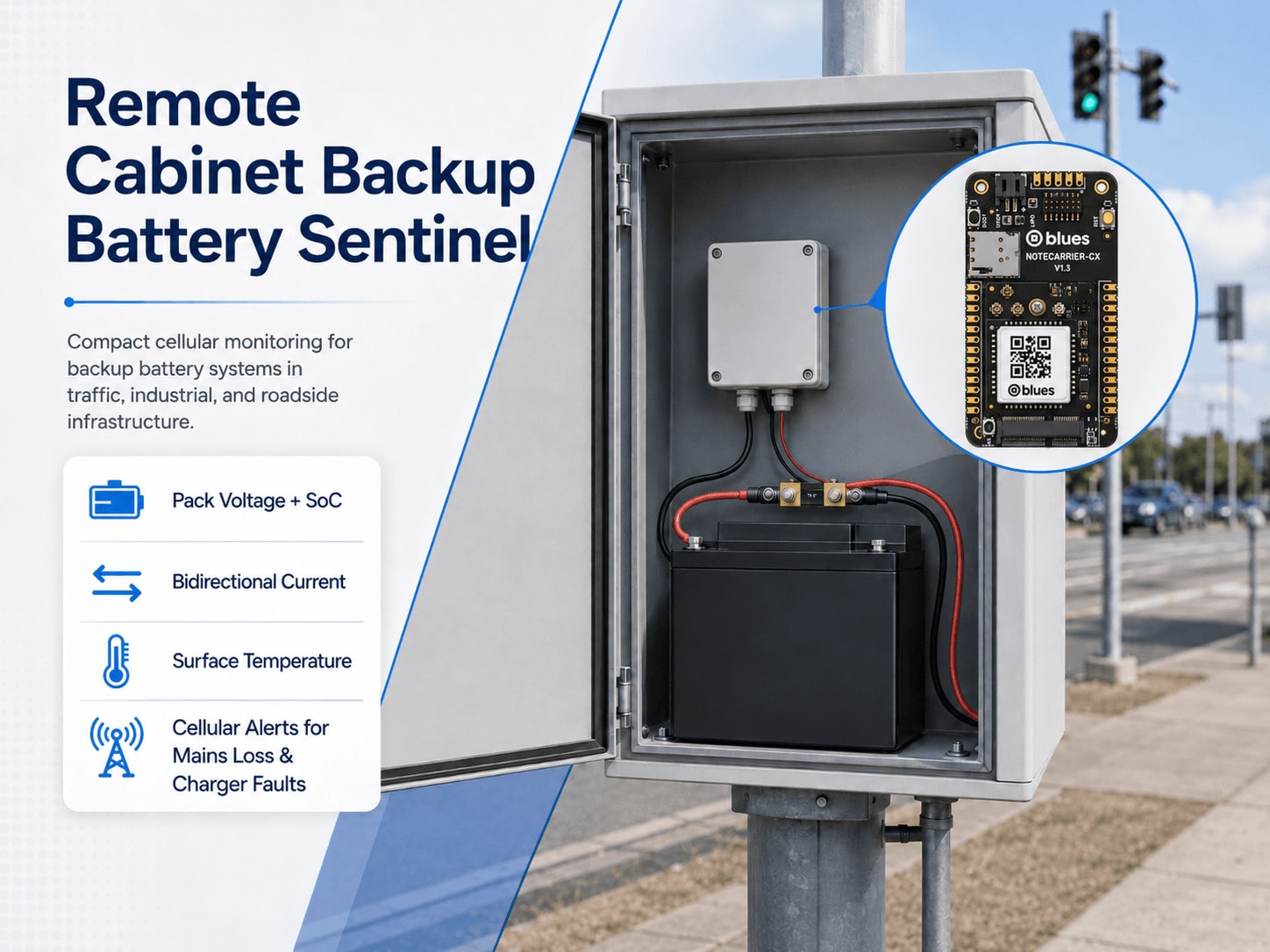
This project is a Blues battery management systems reference design, a pack-level sentinel for the backup battery inside a traffic-signal controller, roadside IoT gateway, industrial RTU, or equipment cabinet running on a 12 V or 24 V positive-referenced DC bus. A Blues Notecard Cell+WiFi and Notecarrier CX, paired with a precision current/voltage monitor and a surface-mounted thermistor, continuously measure pack voltage, bidirectional current, surface temperature, and state-of-charge. They send proactive alerts on charger faults, on elevated float current (a reliable early sign of VRLA capacity degradation weeks before failure; see §8 for chemistry-specific caveats), on mains power loss within one sample interval, and on a low-SoC threshold trip. All of it goes out over cellular, independent of every piece of equipment the battery is supposed to protect.
1. Project Overview
The problem. A municipal traffic engineer responsible for hundreds of signalized intersections has a quiet, expensive problem. Every cabinet has a sealed backup battery, a VRLA (valve-regulated lead-acid) or LFP (lithium iron phosphate) pack meant to keep the signal running through a mains outage, and almost none of them get tested until the day they fail. A healthy-looking battery can lose 60% of its usable capacity to sulfation and still hold nominal open-circuit voltage. A single shorted cell in a 12 V six-cell VRLA string pulls the pack voltage down, but the charger compensates by pushing more current, which hides the fault from any simple voltage-only check. The same thing happens in roadside IoT gateways, industrial RTU cabinets, and telecom shelters, where whoever owns the site only finds out the battery is dead at the worst possible moment.
The failure signal that does show up early is float current. A healthy VRLA battery at full charge draws only a few milliamps per 100 Ah from the charger, just enough to cover self-discharge and electrochemical leakage. When internal resistance climbs from sulfation or plate damage, the charger has to push more current all the time just to hold voltage. Elevated float current is a reliable sign, weeks in advance, that a battery is headed toward failure. It's a pack-level aggregate, though. It tells you the string as a whole is degrading, often because of one or more weakened cells, but it doesn't identify the specific cell or quantify per-cell imbalance. Picking out individual failed cells takes per-cell voltage monitoring hardware that this design doesn't include (see §11). Today nobody watches pack float current, because nobody has instrumented it.
This project instruments it. A precision bidirectional current monitor sits in series with the battery's positive terminal and measures float current with milliamp resolution. If mains power fails, the charger current reverses, the battery starts discharging, and the Notecard fires an immediate alert. When float current climbs steadily over weeks instead, the hourly summary captures the trend so a downstream analytics system can act on it.
Chemistry scope. The float-current capacity-degradation signal is a VRLA mechanism. LFP batteries don't sulfate, so elevated float current on an LFP pack points to a charger or BMS configuration fault, not cell-level degradation. LFP installations still get the full benefit of four of the six battery-condition alert modes this design provides: power-outage detection (current reversal), pack voltage bounds checking, surface temperature alerting, and low-SoC threshold tripping. Float-current trending as a capacity-health proxy doesn't apply to LFP without chemistry-specific calibration. §8 has per-alert chemistry guidance and notes on commissioning LFP thresholds.
Why Notecard. What matters most here is that Notecard doesn't depend on any site infrastructure. A traffic-cabinet controller, a roadside LoRaWAN gateway, or a roadside remote terminal unit each has its own modem and radio, but those are exactly the devices the backup battery is supposed to keep running during a mains failure. You can't use the site's LTE modem to report that the site's LTE modem just went down because the backup battery was dead.
New to Blues?
Learn what we do in this 3-minute video that walks you through how we simplify wireless connectivity.
Learn what we do in this 3-minute video that walks you through how we simplify wireless connectivity.
The Notecard manages its own cellular session on supported carrier networks worldwide through its embedded global SIM, on a power path that's independent of the site equipment. When mains fails, the sentinel keeps running from the cabinet battery bus through the DC-DC converter. That's what lets it watch the discharge in real time: voltage sag under actual site load, current draw, duration, and eventual recovery. The Notecarrier CX's onboard LiPo charger adds a reporting tail for the end of the discharge. Once the cabinet battery is deeply depleted, the bus falls below the DC-DC converter's minimum input voltage, or the battery is disconnected entirely, the 2000 mAh LiPo takes over and keeps cellular reporting going past the battery's own capacity. If the sentinel has to be fully independent of the monitored battery from the moment mains fails, without riding on it at all, you need a separate, isolated power source. The discharge curve is the most valuable diagnostic data you can collect about backup battery health, and you only get it because the sentinel kept running while everything else went dark.
Deployment scenario. A compact enclosure mounts inside a traffic-signal controller housing, roadside IoT gateway enclosure, industrial RTU cabinet, or telecom equipment shelter, on any installation running a 12 V or 24 V positive-referenced DC bus. The Adafruit INA228 shunt monitor wires in series with the battery's positive terminal, and the NTC thermistor sticks to the battery case surface with thermal adhesive. A DC-DC step-down module converts the cabinet bus voltage to a regulated 5 V for the Notecarrier CX, and that 5 V supply charges a 2000 mAh LiPo on the JST connector. During a mains outage the sentinel keeps running from the cabinet battery through the DC-DC converter. The LiPo only takes over when the monitored battery is deeply depleted or the bus drops below the converter's input range. The Notecard's cellular antenna leaves the enclosure on a u.FL pigtail that runs to a patch or magnetic-mount antenna on the cabinet exterior.
2. System Architecture

Device-side responsibilities. Every two minutes the STM32L433 host on the
Notecarrier CX wakes for a few seconds, samples the battery, decides whether
anything has gone wrong, and goes back to sleep. While it's awake it reads pack
voltage and bidirectional current from the INA228 over Qwiic, gets surface
temperature from the NTC thermistor on A0, and checks six battery-condition
rules plus one sensor-health check. Any rule that trips becomes an alert
Note marked sync:true for immediate delivery.
Window statistics build up in a state struct that just lives in RAM. Between
samples the host sleeps in STM32 STOP2 (a few µA, RAM retained) until the
Notecard's ATTN pin wakes it through
card.attn.
Window-average power (voltAvg × currAvg) is worked out at summary time, not
sampled on each read from the INA228 power register.
Notecard responsibilities. The Notecard owns the radio, so the host never
has to. It manages its own cellular session on supported carrier networks
worldwide through the embedded global SIM, queues Notes in on-device storage,
and opens a session on the configured
hub.set outbound
cadence (60 minutes by default). Whenever a sync:true alert lands, it skips
that cadence and sends the alert right away. On the inbound side it pulls down
environment
variable
updates from the Blues Notehub cloud service, so
the field operator can retune any threshold or either cadence without
reflashing.
Notehub responsibilities. Everything that leaves the cabinet lands in
Notehub, which takes in and stores each event and runs the
project's routes. The two Notefiles stay separate on purpose.
battery_summary.qo carries periodic telemetry and battery_alert.qo carries
threshold trips, so a route can send summaries to a long-term analytics store
while alerts go straight to whoever is on call.
Routing to the cloud (high level only). Notehub can route to HTTP, MQTT, AWS, Azure, GCP, Snowflake, and several other destinations. Route setup varies by project. This project doesn't include a downstream endpoint, and the Notehub routing docs explain how to set one up.
3. Technical Summary
-
Notehub: create a Notehub project and copy the ProductUID.
-
Wire the bench rig: Notecarrier CX + Notecard MBGLW + INA228 on Qwiic + NTC divider on A0 + LiPo on JST +
ATTN→D5jumper. The full pinout is in §5. -
Edit one line: set
PRODUCT_UIDinfirmware/cabinet_battery_sentinel/cabinet_battery_sentinel_helpers.h. -
Flash via CLI:
arduino-cli lib install "Blues Wireless Notecard" "STM32duino Low Power" "STM32duino RTC" "Adafruit INA228"
arduino-cli compile -b STMicroelectronics:stm32:Blues:pnum=CYGNET,usb=none firmware/cabinet_battery_sentinel/
arduino-cli upload -b STMicroelectronics:stm32:Blues:pnum=CYGNET,usb=none -p /dev/cu.usbmodem* firmware/cabinet_battery_sentinel/
The
usb=noneboard option turns off the USB CDC stack, which has to be off for the host to sleep (see §7.1). -
Watch for success. Open Notehub → Events tab. It's working when:
_session.qoappears within 2–3 minutes, which confirms the Notecard reached Notehub over cellularbattery_summary.qoappears within 60 minutes. That's your hourly health summary (sample JSON below)battery_alert.qoappears immediately if any alert condition trips (sample JSON below)
If
_session.qohasn't shown up after 5 minutes, check that your PRODUCT_UID exactly matches your Notehub project and that you have cellular coverage where you are. If the Notecard never reaches Notehub, see §10 Troubleshooting.Example
battery_summary.qo(healthy 12 V VRLA at float):{ "volt_v": 13.65, "curr_ma": 12.5, "power_mw": 170.6, "charge_ah": 0.0125, "soc_pct": 97.3, "temp_c": 24.3, "volt_min_v": 13.52, "temp_max_c": 25.1, "samples": 30 }Example
battery_alert.qo(power outage event):{ "alert": "power_outage", "volt_v": 12.4, "curr_ma": -3200.0, "temp_c": 25.5 }
4. Hardware Requirements
| Part | Qty | Rationale |
|---|---|---|
| Notecarrier CX | 1 | Compact carrier with an onboard STM32L433 host MCU, a Qwiic I2C port, and an onboard JST LiPo charger circuit. The charger is what keeps the sentinel powered through the outages it's built to detect. The host sleeps in STOP2 between samples, and the Notecard's ATTN pin wakes it. Accepts regulated 4.5–5.5 V on the +VBAT header pin. |
| Notecard Cell+WiFi (MBGLW) (datasheet) | 1 | Cellular uplink that manages its own session on supported carrier networks worldwide through its embedded global SIM. WiFi works as an opportunistic fallback at sites that happen to have rooftop coverage. |
| Blues Mojo | 1 | BENCH VALIDATION ONLY. It isn't deployed in production. During bring-up, splice it inline on the 5 V power path to measure the whole device's idle baseline, sensor-wake current, and cellular-session bursts. See §9 for analysis and §5 for wiring. Remove it before field deployment. |
| Adafruit INA228 Power Monitor Breakout (#5832) | 1 | 20-bit I2C precision monitor that measures bus voltage up to 85 V and bidirectional current through its onboard 15 mΩ shunt. The onboard shunt handles up to about 8 A continuous, which suits installations where peak discharge current stays under that limit (usually batteries up to roughly 40 Ah at a C/5 discharge rate). For higher-current installations, use the breakout's external-shunt footprint with a lower-value busbar shunt. |
| 10 kΩ NTC thermistor, β=3950, waterproof probe | 1 | Surface-mounted to the battery case. It catches elevated case temperature, which can signal charging faults, poor cabinet ventilation, or abnormal battery conditions, and it supplies a per-sample temperature for the hourly summary. |
| 10 kΩ 1% resistor | 1 | Pull-up resistor in the thermistor voltage divider. |
| 3.7 V 2000 mAh LiPo battery, JST PH connector (e.g. Adafruit #2011) | 1 | Backup for the reporting tail at the end of a discharge. During a normal mains outage the sentinel runs from the cabinet battery bus through the DC-DC converter, and the LiPo takes over only after the monitored battery is deeply depleted or the bus drops below the converter's minimum input. The Notecarrier CX charges it from the regulated 5 V supply and switches over automatically. |
| 5 V regulated DC-DC step-down module for 12 V systems: RECOM R-78E5.0-1.0 (8–28 V input, 1 A) | 1 | Converts the 12 V cabinet bus to the regulated 4.5–5.5 V the Notecarrier CX +VBAT pin needs. Its 8–28 V input range easily covers a 12 V VRLA or LFP charger bus at float and absorption. |
| 5 V regulated DC-DC step-down module for 24 V systems: Pololu D24V50F5 (6–38 V input, 5 A) | 1 | Use it instead of the RECOM module when the cabinet bus is 24 V nominal (float ~27–28 V, absorption up to ~29 V). Its 6–38 V input range covers 24 V VRLA and LFP charger buses with plenty of headroom. |
| Inline fuse holder with 1 A 32 V blade fuse (ATC/ATM automotive style or equivalent) | 1 | Safety-critical. Install it in series on the positive-bus cable between the battery bus (+) and the DC-DC converter input. The 1 A rating sits well above the sentinel's ≤500 mA peak draw from a 12 V or 24 V bus during a cellular session, and it'll clear before a wiring fault does damage. The INA228 shunt path (battery positive to load bus) carries the full site load current, so it must go on a battery branch that's already protected by an upstream circuit breaker or fuse rated for the expected load current (see §5). |
| u.FL to SMA bulkhead pigtail, ~150 mm (e.g. Adafruit #851) | 1 | Carries the Notecard's cellular antenna connection from the u.FL footprint on the Notecarrier CX to an SMA bulkhead fitting in the enclosure wall. It uses RG178 coax. Check that the SMA connector sex matches your antenna before ordering. |
| LTE cellular antenna with SMA connector, panel-mount or magnetic-mount (e.g. SparkFun CEL-16432, 698 MHz–2.7 GHz, 2.3 dBi) | 1 | Mount it on the cabinet exterior for reliable LTE Cat-1 bis coverage. A rubber-duck or internal antenna inside a sealed metal enclosure won't hold a consistent signal. |
| Qwiic cable, 100 mm or 200 mm | 1 | Connects the INA228 breakout to the Notecarrier CX Qwiic port. |
| ABS enclosure, IP54 or better (e.g. Hammond 1591XXTSFLBK, ~123 × 83 × 61 mm) | 1 | Houses the Notecarrier CX assembly inside the cabinet. The 1591XXTSFLBK has plenty of room for the board stack and wiring, and its clear polycarbonate lid lets you check status without opening it. Add cable glands for the antenna pigtail, thermistor probe, shunt wires, and power leads. |
| Thermal adhesive tape (e.g., 3M 8810) | 1 | Holds the thermistor probe firmly against the battery case surface for accurate temperature readings. |
All Blues hardware ships with an active SIM that includes 500 MB of data and 10 years of service, with no activation fees and no monthly commitment.
Safety and Installation Requirements (Read Before Wiring)
Safety-critical step: inline fuse. Install a 1 A fuse in series on the positive-bus cable between the battery bus (+) and the DC-DC converter input (the sentinel's own power supply). Battery strings and busbars can deliver thousands of amperes of short-circuit current. A 1 A fuse sits well above the sentinel's ≤500 mA peak draw during a cellular session, and it'll clear a wiring fault before it causes arc damage or a fire.
INA228 shunt installation. The INA228 sits in series on the battery's positive terminal and must be installed on a battery branch that already has an upstream circuit breaker or fuse rated for the expected load current. Don't install the INA228 shunt on a battery segment with no existing overcurrent protection.
Lockout/tagout. Before making any connections to an energized battery bus, isolate and lock out the battery charger and all parallel discharge paths (lockout/tagout procedure). Use insulated tools, take off metal jewelry and watchbands, and confirm the bus is de-energized before touching conductors. In cabinets with multiple parallel battery strings, isolate every string at the same time before working in the positive-bus circuit.
This BOM targets a positive-referenced DC bus. The INA228 high-side sensing
topology and the non-isolated 5 V step-down converter both use the negative bus
as circuit ground. It covers 12 V and 24 V positive-referenced VRLA and LFP
charger buses (for example, 12 V VRLA at 13.5–14.7 V float and 24 V VRLA at
27–29.4 V float). For 24 V systems, update volt_min_v and volt_max_v to
match your charger's float window (see §6), and use the Pololu D24V50F5 listed
in the BOM. Also check that the expected peak discharge current is within the
shunt's rating (≤8 A for the onboard 15 mΩ shunt, or use an external shunt for
higher-current installations).
5. Wiring and Assembly

Safety reminder: Review the safety requirements in §4 before you go on. Make sure the inline fuse is on the sentinel's power supply and the INA228 shunt is on a battery branch with upstream overcurrent protection.
All host I/O lands on the Notecarrier
CX dual 16-pin header
and Qwiic connector. A short jumper between ATTN and D5 on the header lets
the Notecard wake the sleeping host, and the Notecard Cell+WiFi seats in the M.2
slot.
Cabinet bus to Notecarrier CX power chain:
The cabinet battery bus (usually 12–15 V for 12 V VRLA/LFP, or 25–29 V for 24 V VRLA/LFP charger buses) can't connect straight to the Notecarrier CX's +VBAT input, which needs a regulated 4.5–5.5 V. A DC-DC step-down module sits between the two:
Cabinet battery bus (+) → 1 A inline fuse → DC-DC module input (+)
DC-DC module output (5 V regulated) → Notecarrier CX +VBAT header pin
Cabinet battery bus (–) / cabinet ground → Notecarrier CX GND header pin
Mount the DC-DC module inside the enclosure, and confirm its input-voltage range covers your cabinet supply before wiring. If a USB-C cable suits your enclosure layout better than the header pin, the Notecarrier CX's USB-C connector works as an equivalent 5 V power entry point. The Notecarrier CX datasheet shows the +VBAT and GND pin locations on the dual 16-pin header.
The regulated 5 V supply charges the 2000 mAh LiPo on the JST connector whenever the cabinet bus is present. During a normal mains outage the sentinel keeps drawing power from the cabinet battery through the DC-DC converter, and the LiPo doesn't take over yet. That's on purpose. The sentinel rides on the battery it monitors so it can watch the discharge as it happens. The LiPo only becomes the main power source after the monitored battery is deeply depleted, the bus voltage drops below the DC-DC converter's minimum input threshold, or the battery is disconnected, and it stretches the reporting tail past the battery's own capacity. If you need full electrical independence from the monitored battery from the moment mains fails, use an isolated power supply fed from a separate source instead.
INA228 battery power path (high-side current sensing):
The INA228 measures current flowing in or out of the battery by sitting in series with the battery's positive terminal. That topology is called high-side sensing.
- Battery (+) terminal → INA228
V+pad (connects to the shunt IN+ input) - INA228
V–pad → cabinet load bus (+) - Battery (–) terminal → cabinet load bus (–) / circuit ground
The 15 mΩ shunt is built into the Adafruit #5832 breakout, so you don't need an
external shunt resistor for currents up to about 8–10 A continuous. Some
installations have peak discharge current above 8 A (a 100 Ah battery at a C/5
discharge rate draws 20 A). For those, bypass the internal shunt using the
breakout's external-shunt footprint, wire in a lower-value shunt (for example,
1–2 mΩ), and update INA228_SHUNT_OHMS and INA228_MAX_CURRENT_A in firmware
to match. §11 (Limitations) has more detail.
INA228 to Notecarrier CX (I2C via Qwiic):
- INA228 Qwiic connector → Notecarrier CX Qwiic connector (3.3 V, GND, SDA, SCL; Qwiic cable)
The Notecarrier CX has onboard I2C pull-ups, so you don't need extra pull-up resistors.
NTC thermistor voltage divider (A0):
- Notecarrier CX +3V3 → 10 kΩ 1% resistor → Notecarrier CX A0
- Notecarrier CX A0 (same node as above) → NTC thermistor leg 1
- NTC thermistor leg 2 → Notecarrier CX GND
Stick the thermistor probe to the battery case surface with thermal adhesive tape. On multi-cell packs, put it near the geometric center of the pack, where heat from an internal fault tends to be highest.
ATTN-to-D5 jumper (host sleep):
Fit a short jumper between the ATTN and D5 pins on the Notecarrier CX
header. They're both on the same 16-pin header. While the host sleeps, the
Notecard pulls ATTN low, and it raises the pin when the next sample is due.
That rising edge on D5 wakes the host from STOP2. Leave the Notecarrier CX
EN pin unconnected. On the CX it enables the shared 3.3 V VIO rail (host,
Qwiic, 3V3_OUT, and Notecard I/O), so driving it from ATTN would brown out
the whole board instead of just sleeping the host. See Putting a Host to Sleep
Between Sensor
Readings
for the full pattern.
LiPo backup battery:
- 2000 mAh LiPo → Notecarrier CX JST PH battery connector
The Notecarrier CX charges the LiPo from the regulated 5 V supply on +VBAT. It switches from external power to the LiPo automatically, with no firmware change needed.
Notecard:
Seat the Notecard Cell+WiFi in the Notecarrier CX M.2 slot and secure it with the mounting screw. Connect the u.FL to SMA pigtail to the antenna footprint on the Notecard, route it to an SMA bulkhead fitting in the enclosure wall, and attach the external antenna on the cabinet exterior. A rubber-duck antenna inside a sealed steel cabinet won't hold reliable LTE Cat-1 bis coverage.
Mojo (bench validation only):
For bench bring-up, splice the Mojo inline between the 5 V DC-DC module output and the Notecarrier CX +VBAT input. Don't connect it directly to a 12 V or 24 V cabinet bus. Mojo measures the current the whole assembled device draws on the 5 V power rail.
I²C topology: This firmware doesn't read Mojo's coulomb counter over I²C, since Mojo is only doing inline power measurement here. The INA228 connects directly to the Notecarrier CX Qwiic connector as described above, so Mojo's Qwiic port doesn't need to be wired for this bring-up.
Take Mojo out of the power path for production deployment (see §9).
6. Notehub Setup
-
Create a project. Sign up at notehub.io and create a project. Copy the ProductUID, which looks like
com.your-company.your-name:cabinet-battery-sentinel. -
Set the ProductUID in firmware. Open
cabinet_battery_sentinel_helpers.hand replace the empty string on the#define PRODUCT_UID ""line with your value. -
Claim the Notecard. Power up the assembled unit. On its first cellular connection the Notecard associates itself with your Notehub project. The device shows up in the Devices tab within a few minutes, and there's no manual claim step.
-
Create a Fleet. Fleets group devices for shared environment variable configuration and routing. Here it makes sense to organize them by battery chemistry and voltage, with one fleet for 12 V VRLA roadside cabinets and another for 24 V VRLA or LFP installations, because the safe float voltage windows are quite different from one chemistry to the next. Smart Fleets can assign devices to fleets automatically as they provision.
-
Set environment variables. In Notehub, go to Fleet → Environment (or Device → Environment for a per-unit override) and add any of the variables below. The Notecard pulls them on its next inbound sync, so there's no reflash and no truck roll. Every variable is optional, and the firmware defaults apply when one is missing.
Variable Default Purpose sample_interval_sec120Seconds between sensor wakes. Min 30, max 3600. At 120 s the device takes 30 samples per hourly summary. summary_interval_min60Minutes between battery_summary.qoNotes. Changing it also re-applieshub.seton the next wake so the Notecard's outbound session cadence stays in sync with the new summary interval.volt_min_v13.2Pack voltage (V) below which float_voltage_lowfires. Default calibrated for 12 V VRLA, where the low end of the normal float window is about 13.2–13.5 V (2.20–2.25 V/cell). For 24 V systems, set it to ~26.4. For LFP systems, set chemistry-appropriate thresholds using the Chemistry-Specific Alert Notes in §8.volt_max_v14.8Pack voltage (V) above which float_voltage_highfires. Default calibrated for 12 V VRLA, where float is usually 13.5–13.8 V. The default sits 1 V above the top of that float window, just above the usual 14.4–14.7 V absorption setpoint. For 24 V systems, set it to ~29.0. For LFP, see §8.float_current_hi_ma500Float current (mA) above which float_current_highfires. Default calibrated for 12 V VRLA. A healthy 100 Ah VRLA draws <50 mA at float, so 500 mA is a clear anomaly. The "Chemistry-Specific Alert Notes" sidebar in §8 explains how to read it for VRLA vs. LFP. Commission a chemistry-appropriate threshold at installation.temp_alert_c40Pack surface temperature (°C) above which temp_highfires. VRLA batteries age roughly 2× faster for every 10 °C above 25 °C, and 40 °C is the standard service-alert threshold.discharge_ma-200Current (mA) below which power_outagefires. At −200 mA there's a clear margin above float-current noise, and any sustained discharge still gets caught within a single sample.usable_capacity_ah100Battery bank usable capacity (Ah) for coulomb-counting SoC. Set it to the battery's nameplate capacity (or the usable capacity you measured over a full-discharge cycle). You need it for meaningful soc_pctvalues, since the firmware uses the default 100 Ah until you override it. For a 200 Ah bank, set it to200.soc_low_pct20SoC (%) below which soc_lowfires.soc_pct_init(unset) Initial SoC (%) to apply the first time the firmware sees this value after a known-full charge. Set it once you've confirmed the battery is fully charged (charger holding float voltage, current at minimum), and the firmware tracks SoC from that baseline. To recalibrate, change the value to the new known SoC. The firmware notices the change and re-initializes on the next inbound sync. Leave it unset (or set it to −1) to put off commissioning, andsoc_pctin summary Notes will carry−9999until you apply a value. -
Configure routes. Add one route for
battery_alert.qo. That's your real-time channel to an on-call queue, CMMS ticket, or alerting platform. Add a second route forbattery_summary.qoto a time-series analytics store where you can chart float-current trends over weeks and months. The two Notefiles are separate by design, so each can go to its own destination with its own urgency and retention policy.
Expected events in Notehub
The Events tab should start filling in within a minute of first power-on. Three kinds of events matter:
-
_session.qo: automatic Notecard housekeeping on each cellular session, which confirms the radio is reaching Notehub. -
battery_summary.qo: one persummary_interval_min.charge_ahis the net coulombs over the summary window, positive during float operation and large and negative during site discharge.soc_pctis the running coulomb-counted state-of-charge estimate, and−9999meanssoc_pct_inithasn't been commissioned yet.curr_min_matracks the deepest discharge current (most-negative value) seen in the window. It's0.0when no discharge happened, and templated Notefiles drop zero values on the way to Notehub (omitempty), so a summary with nocurr_min_ma, like the §3 example, means no discharge. -
battery_alert.qo: sent right away, and only on a threshold trip or sensor fault. Thealertfield is one offloat_voltage_low,float_voltage_high,float_current_high,temp_high,power_outage,soc_low, orina228_unreachable. See §3 for example JSON.
7. Firmware Design
The firmware is split across four files in firmware/cabinet_battery_sentinel/:
| File | Contents |
|---|---|
cabinet_battery_sentinel.ino | Includes, global variable definitions, setup(), loop(), and the per-wake runCycle() |
cabinet_battery_sentinel_helpers.h | All #define constants (including PRODUCT_UID), SentinelState struct, extern globals, function prototypes |
cabinet_battery_sentinel_helpers.cpp | All helper function implementations |
cx_sleep.h | Host sleep: the card.attn request, STOP2 entry, and ATTN-pin wake (cxSleepBegin, cxSleepUntilAttn) |
7.1 Installing and flashing
Dependencies:
- Arduino core for STM32: install it from the Arduino Boards Manager (add the
index URL
https://github.com/stm32duino/BoardManagerFiles/raw/main/package_stmicroelectronics_index.jsonunder File → Preferences → Additional Boards Manager URLs). The Notecarrier CX's host uses the Cygnet board definition (see the build settings below). Blues Wireless Notecard(note-arduino): install it from the Arduino Library Manager (arduino-cli lib install "Blues Wireless Notecard"). Use the latest stable version from note-arduino releases.Adafruit INA228: install it from the Arduino Library Manager (arduino-cli lib install "Adafruit INA228").Adafruit BusIO: the INA228 library needs it, so install it from the Library Manager too.STM32duino Low Power(and its dependencySTM32duino RTC):stm32duino/STM32LowPower. Install it from the Library Manager. It handles the STOP2 entry and ATTN-pin wake incx_sleep.h.
Build settings: The Notecarrier CX's host is the same STM32L433 as the Blues
Cygnet, so select Blues boards → Cygnet (pnum=CYGNET) and set USB
support (if available) to None (usb=none). If the USB CDC stack is
enabled and no USB host is attached (the Notecarrier CX USB-C switch in NC, or
no cable), the STM32's USB wakeup interrupt fires continuously and the host
never stays in STOP2. Debug output goes to the LPUART on the Notecarrier CX
debug jack instead, which an ST-LINK V3 exposes as a virtual COM port (see
Serial Logging With STLINK).
Before compiling, open cabinet_battery_sentinel_helpers.h and replace the
empty string on the #define PRODUCT_UID "" line with your Notehub ProductUID.
The Arduino build system compiles all four source files in the sketch folder
together automatically.
Flashing with arduino-cli:
# Confirm the correct board name for your installed core version
arduino-cli board listall | grep -i cygnet

# Compile and upload (replace the board options and port with what the command
# above reports; usb=none disables USB CDC, which must be off for the host to sleep)
arduino-cli compile -b STMicroelectronics:stm32:Blues:pnum=CYGNET,usb=none firmware/cabinet_battery_sentinel/
arduino-cli upload  -b STMicroelectronics:stm32:Blues:pnum=CYGNET,usb=none \
                    -p /dev/cu.usbmodem* \
                    firmware/cabinet_battery_sentinel/
Flashing with the Arduino IDE: Open cabinet_battery_sentinel.ino, apply
the build settings above, select the right port, and click Upload. With the
Notecarrier CX's DIP switch in HST, you can reach the host's DFU bootloader
over the USB-C port (hold BOOT, tap RST). Uploading over SWD with an ST-LINK
on the debug jack works too.
After uploading, open a serial monitor at 115200 baud on the ST-LINK virtual
COM port. On each wake the firmware prints one or two [sentinel] lines, like
this:
[sentinel] volt=13.652V  curr=12.5mA
[sentinel] temp=24.3C
Then the host enters STOP2 for the sample interval and the monitor goes quiet.
An INA228 FAIL or NTC open/shorted message means there's a wiring problem on
that sensor. If the INA228 init fails, both INA228 readings (voltage and
current) are skipped for that sample, and the summary only accumulates valid
samples.
7.2 Modules
| Responsibility | Where |
|---|---|
Notecard config (hub.set, template, accelerometer) | notecardConfigure, defineTemplate (helpers.cpp) |
| Env-var fetch and range clamp | fetchEnvOverrides (helpers.cpp) |
| INA228 init and calibration (at power-up, retried on failure) | initINA228 (helpers.cpp) |
| Battery voltage and current reads | readBatteryVoltage, readBatteryCurrent (helpers.cpp) |
| NTC thermistor temperature read | readPackTempC (helpers.cpp) |
| Six battery-condition alert rules plus sensor-health fault, all with per-alert cooldowns | Inline in runCycle() (cabinet_battery_sentinel.ino) |
| INA228 persistent-fault remote notification | Inline in runCycle() + sendAlert |
| Hourly summary accumulation and emission | sendSummary (helpers.cpp) |
| Immediate-sync alert emission | sendAlert (helpers.cpp) |
Host sleep (STOP2 until the Notecard raises ATTN) | cx_sleep.h: cxSleepBegin, cxSleepUntilAttn |
| Application state (held in RAM across sleep cycles) | SentinelState |
7.3 Sensor reading strategy
INA228 (voltage and current). The Qwiic rail stays powered while the host
sleeps, so the firmware initializes the INA228 once at power-up with begin()
followed by setShunt(0.015, 8.0), and the chip keeps its calibration. The init
only gets retried on later wakes if it failed. The calibration call programs the
chip with the shunt resistance and full-scale current. Single-point reads of
readBusVoltage(), readShuntVoltage(), and readCurrent() take well under
10 ms. Current is signed at the firmware level. Positive values mean the
charger is supplying current, and negative values mean the battery is
discharging. With that sign convention, power_outage detection is just a
threshold comparison against g_dischargeMa.
Battery-terminal voltage. With Battery(+) wired to INA228 V+ and the
load/charger bus wired to V−, readBusVoltage() returns the voltage at V− (load
side of the shunt), not the battery terminal. readBatteryVoltage() adds the
shunt voltage back to recover the true battery-terminal voltage:
V_terminal = V_bus + readShuntVoltage() / 1000. The correction is ≤ 7.5 mV at
float currents up to 500 mA, which is negligible, but it reaches ~48 mV at 3.2 A
discharge. That's enough to matter for voltage-alert accuracy and for the
volt_v time series used in float-voltage trending.
Current sign note. The INA228 is wired with Battery(+) on V+ and the load
bus on V−, so the chip reports positive raw current during discharge
(battery→load direction). readBatteryCurrent() negates the raw readCurrent()
result before returning it, so every downstream comparison, accumulation, and
alert threshold uses the intuitive convention (positive = charger present,
negative = outage). The documented wiring in §5 and the descriptions throughout
this page all refer to the post-negation value.
The INA228 has an internal power register, but this design doesn't read it.
power_mw in the summary Note is computed as voltAvg × currAvg in
sendSummary(). It's a window-average approximation, not a per-sample hardware
measurement.
NTC thermistor. Averaging 16 samples of 12-bit ADC readings
(analogReadResolution(12) on the STM32L433 host) cuts the noise before the
firmware applies the β-equation: T = 1 / (1/T₀ + (1/β) × ln(R/R₀)). ADC
readings within 50 mV of the supply rails mean an open or shorted probe, so they
return NAN and stay out of the temperature accumulator. A bad temperature
reading never quietly skews the summary averages. Voltage, current, and
temperature each keep their own sum and valid-sample count, so a failed
thermistor probe never blocks voltage or current accumulation, alert
evaluation, or the power_outage detection path.
Charge balance and SoC. The INA228 has a hardware charge accumulator, but it
resets whenever the chip loses power (when the sentinel's own supply fails, for
example). So the firmware accumulates charge in software instead, with
chargeAh += (curr_mA / 1000) × (sample_interval_sec / 3600) on each cycle. The
per-window result shows up as charge_ah in the summary Note. It's a small
positive value during normal float and a large negative value during a power
outage. charge_ah is a per-window delta, not state-of-charge. The firmware
tracks state-of-charge separately in soc_pct. On each wake it divides the same
current-integration delta by usable_capacity_ah and adds it to the running SoC
estimate, which persists across sleep cycles in host RAM. soc_pct in the
summary Note carries −9999 (SUMMARY_INVALID_SENTINEL) until the operator
commissions a starting SoC with soc_pct_init. See §6 for commissioning steps
and §11 for accuracy caveats.
7.4 Event payload design
battery_summary.qo is
template-backed,
which gives it a fixed wire schema and an on-wire footprint ~3–5× smaller than
free-form JSON. That adds up on a device that sends 24 Notes a day for years.
battery_alert.qo is untemplated and uses sync:true for immediate delivery.
Field semantics:
power_mwis computed asvoltAvg × currAvg, a window-average approximation, not a per-sample hardware read from the INA228 power register.charge_ahis the net coulombs delivered to or drawn from the battery during the window. It's a per-window delta only, not running state-of-charge.soc_pctis the running state-of-charge estimate maintained across windows by integrating current against the commissionedusable_capacity_ahbaseline, and−9999means it hasn't been commissioned yet.curr_min_matracks the most-negative (deepest discharge) current seen in the window.0.0means no discharge happened (Notehub leaves the field out, since templated Notefiles drop zero values), and a negative value (for example,−3200.0) means the battery was actively discharging at 3.2 A into the load.
§3 has example JSON.
7.5 Low-power strategy
The host sleeps in STM32 STOP2 for the full 120-second sample interval. loop()
calls cxSleepUntilAttn() (in cx_sleep.h), which sends a
card.attn sleep
request for g_sampleSec seconds, waits for the Notecard to pull ATTN low,
and enters STOP2. There the STM32L433 draws ~1–2 µA and keeps its RAM. When the
interval is up, the Notecard raises ATTN, the rising edge on D5 wakes the
host, and execution picks up on the next line of loop(). Meanwhile the
Notecard idles at its own published ~8 µA. That's a Notecard-datasheet figure,
though. The real idle current on the 5 V rail (as Mojo measures it on the
assembled device) will be higher, because it adds the Notecarrier CX regulator
quiescent, the always-on INA228, and the thermistor divider to the Notecard's
~8 µA. The DC-DC converter's own quiescent draw is on its input side, upstream
of Mojo. The host
resumes in place instead of cold-booting, so the SentinelState struct just
lives in RAM. Nothing gets serialized to the Notecard, setup() runs only once
per power-up, and the rolling window accumulates correctly across hundreds of
sleep cycles a day. If the sleep request fails or ATTN never goes low (missing
jumper), loop() waits out the interval awake and tries again on the next
cycle, so the sample cadence holds either way.
The Notecard itself runs in periodic mode with outbound:60. Summary Notes
queue in the on-device flash store and go out together in a single cellular
session once an hour, which keeps the radio duty cycle low. Alert Notes with
sync:true skip the outbound timer and wake the radio right away. Alert
cooldowns block re-firing for 30 minutes of wall-clock time, though. The
cooldown is stored as remaining seconds in SentinelState and counted down by
the sample interval on each wake. So even a sustained fault doesn't keep waking
the radio, and the 30-minute window holds whether sample_interval_sec is set
to 30 s or 2 min.
7.6 Retry and error handling
- Notecard configuration. The initial
hub.setinnotecardConfigure()and thenote.templateregistration each check the boolean return value ofsendRequestand log a debug message if it fails.doFirstBoot()runs once fromsetup(). After that,runCycle()retrieshub.setand template registration on every wake until each one is confirmed, so a transient fault at power-up can't leave the device unassociated or untemplated. - Environment variable fetch.
fetchEnvOverrides()callsrequestAndResponseand checks theerrfield before reading the body. On a Notecard-side error (for example, not yet associated with Notehub) it returns early instead of quietly leaving stale threshold values from a corrupted response. Thehub.setre-apply block inrunCycle()only updatesstate.lastSummaryMinaftersendRequestconfirms delivery, so a transient I2C fault can't knock the recorded cadence out of sync with the Notecard's actual setting. - INA228 fault.
initINA228()returnsfalseon I2C NACK. Both INA228 readings (voltage and current) are set toNAN, left out of their metric accumulators, and skipped in alert evaluation. The firmware keeps sleeping on schedule instead of hanging on a sensor fault, and temperature accumulation and thetemp_highalert carry on independently. A persistent INA228 failure shows up remotely. WheninitINA228()returnsfalseand thecoolInaFaultSeccooldown has expired, the firmware sends anina228_unreachablealert tobattery_alert.qo(rate-limited to once per 30 minutes so a sustained hardware fault doesn't flood the Notefile). If the INA228 is unreachable for a whole summary window,sendSummary()still sends the Note with every INA228 field set toSUMMARY_INVALID_SENTINELandsamplesat 0, so Notehub shows a visible fault window instead of a silent gap. - NTC fault. ADC readings within 50 mV of the supply rails return
NANand stay out of temperature accumulation. When only the thermistor has failed (INA228 data is still valid), the summary goes out normally withSUMMARY_INVALID_SENTINEL(−9999) in thetemp_candtemp_max_cfields, so downstream analytics can tell "sensor failed" apart from a true near-zero reading. If the INA228 is also unreachable for the whole window,sendSummary()still sends a summary, with every INA228 field set toSUMMARY_INVALID_SENTINELandsamplesat 0. Theina228_unreachablealert is the immediate notification, and the sentinel-filled summary keeps the time series continuous. - Note delivery.
sendSummary()andsendAlert()each retrynote.addup to three times with a 500 ms delay between attempts.sendSummary()returns a boolean, and the metric accumulators and window elapsed timer only reset after a confirmed successful delivery. If a transient Notecard I2C fault gets in the way, the window data survives, and the next wake retries with it intact instead of quietly losing the window. - Alert gating.
float_voltage_low,float_voltage_high, andfloat_current_highare suppressed during active battery discharge (curr < discharge_ma), so a real power outage doesn't set off misleading float-fault alerts.float_current_highis also suppressed for 30 minutes after the last discharge sample (thepostDischargeSecsettling window in the state struct), so normal bulk-recharge current after an outage doesn't get mistaken for elevated float current. - Env var range clamping.
g_sampleSecis clamped to [30, 3600] andg_summaryMinto [5, 1440], so a misconfigured variable can't produce absurd sleep intervals or an unreachable summary window. Whensample_interval_secchanges mid-window,windowElapsedSecresets so the next summary covers exactly the newly configured interval instead of some unintended hybrid duration. - All six battery-condition rules and the sensor-health alert use separate cooldown counters and fire independently. A battery that's low-voltage and overtemperature at the same time fires both alerts, and neither one suppresses the other.
7.7 Key code snippet 1 — template registration
The template registers the battery_summary.qo schema as a fixed-length wire
record, so every Note packs into a fixed byte count with a ~3–5× smaller
over-the-air footprint. The integer part of each type hint sets the field's
width in bytes, and a fractional part marks the field as a float:
14.1= 4-byte IEEE-754 float (e.g.,12.5mA), the documented form14.2and14.3= also 4-byte floats. The digit after the point doesn't set decimal places, so13.65V and0.0125Ah still take four bytes each.12= 2-byte signed integer (e.g.,30samples)
After that, the Notecard rejects any note.add whose body doesn't match this
schema, which catches firmware mistakes at the device before they corrupt the
downstream time series. NOTEFILE_SUMMARY is "battery_summary.qo", defined in
cabinet_battery_sentinel_helpers.h. state.templateDefined only goes true
when the request succeeds, and runCycle() retries on every wake until it does.
void defineTemplate(void) {
    J *req = notecard.newRequest("note.template");
    JAddStringToObject(req, "file", NOTEFILE_SUMMARY);
    JAddNumberToObject(req, "port", 50);
    J *body = JAddObjectToObject(req, "body");
    JAddNumberToObject(body, "volt_v",      14.2);  // window-average battery-terminal voltage (V)
    JAddNumberToObject(body, "curr_ma",     14.1);  // window-average current (mA)
    JAddNumberToObject(body, "power_mw",    14.1);  // window-average power (mW)
    JAddNumberToObject(body, "charge_ah",   14.3);  // net coulombs this window (Ah) — per-window delta
    JAddNumberToObject(body, "soc_pct",     14.1);  // running SoC estimate (%); -9999 = not commissioned
    JAddNumberToObject(body, "temp_c",      14.1);  // window-average temperature (°C)
    JAddNumberToObject(body, "volt_min_v",  14.2);  // minimum voltage in window
    JAddNumberToObject(body, "curr_min_ma", 14.1);  // deepest discharge current
    JAddNumberToObject(body, "temp_max_c",  14.1);  // peak temperature in window
    JAddNumberToObject(body, "samples",     12);    // valid voltage/current samples
    if (notecard.sendRequest(req)) {
        state.templateDefined = true;
    } else {
        notecard.logDebug("note.template registration failed\n");
    }
}
7.8 Key code snippet 2 — immediate power-outage alert
sync:true tells the Notecard to wake the radio right away instead of waiting
for the next outbound window. Once a current reversal crosses the
discharge_ma threshold, an operator can hear about it within one sample
interval (120 seconds at default settings) plus the time to set up a cellular
session (usually ~15–60 seconds on LTE Cat-1 bis). At default settings, that's
roughly two to three minutes end to end, from the moment mains fails to the
alert landing in Notehub. If you need a shorter detection window, lower
sample_interval_sec with an env var.
runCycle() calls sendAlert("power_outage", volt, curr, temp) as soon as
curr drops below g_dischargeMa and the outage cooldown has expired, and it
arms the 30-minute cooldown only when sendAlert() returns true.
NOTEFILE_ALERT is "battery_alert.qo". The alert Notefile isn't templated,
so soc_pct can be left out until SoC has been commissioned:
bool sendAlert(const char *alertType, float volt, float curr, float temp) {
    bool sent = false;
    for (int attempt = 0; attempt < 3 && !sent; attempt++) {
        J *req = notecard.newRequest("note.add");
        JAddStringToObject(req, "file", NOTEFILE_ALERT);
        JAddBoolToObject(req,   "sync", true);
        J *body = JAddObjectToObject(req, "body");
        JAddStringToObject(body, "alert",   alertType);
        // Use SUMMARY_INVALID_SENTINEL instead of NAN for any metric that was
        // unavailable at alert time (NAN is not valid JSON).
        JAddNumberToObject(body, "volt_v",  isnan(volt) ? SUMMARY_INVALID_SENTINEL : volt);
        JAddNumberToObject(body, "curr_ma", isnan(curr) ? SUMMARY_INVALID_SENTINEL : curr);
        JAddNumberToObject(body, "temp_c",  isnan(temp) ? SUMMARY_INVALID_SENTINEL : temp);
        // ...
        if (state.socPct >= 0.0f) {
            JAddNumberToObject(body, "soc_pct", state.socPct);
        }
        sent = notecard.sendRequest(req);
        if (!sent && attempt < 2) {
            notecard.logDebug("note.add (alert) failed, retrying\n");
            delay(500);
        }
    }
    // ...
    return sent;
}
7.9 Key code snippet 3 — sleeping until the Notecard raises ATTN
cxSleepUntilAttn() asks the Notecard to hold ATTN low for exactly
g_sampleSec seconds, confirms the pin has gone low, and puts the STM32 into
STOP2. The host stays alive, so the firmware checks the result of the
card.attn request instead of firing it off and forgetting it. When the
Notecard raises ATTN, loop() runs the next cycle with SentinelState
exactly as it was left. Rolling averages, window extremes, alert cooldowns, and
charge balance all come through intact in RAM. setup() arms the wake once
with cxSleepBegin(), and loop() runs one cycle and then sleeps:
// Arm the ATTN wake: the Notecard raises ATTN (D5) to end each sleep.
    cxSleepBegin();
// ...
void loop() {
    runCycle();

    if (!cxSleepUntilAttn(notecard, g_sampleSec, NULL, &dbgSerial)) {
        // The Notecard didn't take the sleep request, or ATTN never went low
        // (check the ATTN -> D5 jumper).  Keep the sample cadence and try again.
        dbgSerial.println("[sentinel] ATTN sleep failed — waiting out the interval awake");
        delay(g_sampleSec * 1000UL);
    }
}
8. Data Flow

Collected every sample_interval_sec (120 seconds by default): pack voltage
in V, float/discharge current in mA, and pack surface temperature in °C.
Window-average power (mW) is computed as voltAvg × currAvg at summary time,
not sampled directly from the INA228 power register.
Accumulated in SentinelState across sleep cycles: rolling sums for window
averages, the minimum voltage seen at a sample point (useful for spotting
voltage sag, though a sag that falls entirely between two consecutive 2-minute
samples won't be captured), the most-negative current (the peak discharge rate
during a power event), the maximum temperature, and the net charge balance in
amp-hours.
Transmitted:
battery_summary.qo: one template-encoded record persummary_interval_min(24 per day by default) with the window averages plus extremes. A healthy battery at float shows a small positivecharge_ahproportional to float current and window duration (for example, 0.0125 Ah for a 12.5 mA average over one hour). A battery that spent time discharging shows a large negativecharge_ah.battery_alert.qo: sent immediately on a threshold trip, with per-alert cooldowns that block re-firing for about 30 minutes per alert type.
Routed: Notehub sends both Notefiles to the configured routes. The natural
split is battery_alert.qo → real-time on-call, CMMS, or SMS gateway, and
battery_summary.qo → time-series database for multi-week float-current trend
analysis.
Alert triggers: six battery-condition rules plus one sensor-health alert.
| Alert | Condition | Diagnostic meaning |
|---|---|---|
float_voltage_low | Voltage < volt_min_v while charger present (curr ≥ discharge_ma) | The charger isn't supplying enough current, a cell has failed, or the battery can't reach float voltage under load. Suppressed during active discharge, so a real voltage sag while running on battery doesn't set off a spurious float-fault alert. |
float_voltage_high | Voltage > volt_max_v while charger present (curr ≥ discharge_ma) | Charger overvoltage fault. In VRLA it speeds up plate corrosion and electrolyte loss through gassing. Suppressed during active discharge for the same reason as float_voltage_low. |
float_current_high | Current > float_current_hi_ma while charger present and post-discharge settling window expired | Elevated float current. See the "Chemistry-Specific Alert Notes" sidebar below. Suppressed during active discharge and for 30 minutes after the last discharge sample, so normal bulk-recharge current after an outage doesn't get mistaken for float degradation. |
temp_high | Temperature > temp_alert_c | Elevated battery case temperature. A single surface thermistor can't identify the heat source or confirm a specific failure mode. It just tells you the battery, charger, or enclosure is running abnormally warm. Sustained high temperature speeds up battery aging. Inspect the charger output, enclosure ventilation, and battery condition. |
power_outage | Current < discharge_ma | The site is running on battery. This is the event the whole system was built to detect, and to survive long enough to report. |
soc_low | soc_pct < soc_low_pct and SoC has been commissioned | State-of-charge has fallen below the operator-configured threshold. Only fires after soc_pct_init has been set, and soc_pct is included in the alert Note automatically. Check whether a recent discharge event was deeper or longer than expected. A battery that drives SoC low during a brief outage has less reserve than its nameplate rating suggests. |
ina228_unreachable | INA228 begin() fails on I2C NACK | The primary current and voltage sensor isn't responding, so all INA228-derived telemetry is blind until the fault clears. Rate-limited to once per 30 minutes. Inspect the Qwiic wiring, I2C address (A0/A1 jumpers), and 3.3 V supply. |
Chemistry-Specific Alert Notes
VRLA batteries: Elevated float current is a reliable early sign of
sulfation, internal resistance growth, or approaching end-of-life, often weeks
before a battery fails a load test. It's a pack-level aggregate signal,
meaning the string as a whole needs more continuous charge current than a
healthy pack does. That fits one or more degraded cells, but it doesn't identify
which cell or confirm per-cell imbalance. Default thresholds are calibrated
for 12 V VRLA (volt_min_v=13.2, volt_max_v=14.8,
float_current_hi_ma=500). For 24 V VRLA, scale the voltage thresholds
proportionally (volt_min_v≈26.4, volt_max_v≈29.0).
LFP (lithium iron phosphate) batteries: Elevated float current does not
indicate cell degradation, because LFP packs don't sulfate. On an LFP pack,
elevated float current usually points to a charger or BMS configuration fault
instead. Voltage monitoring, power_outage detection, and temp_high still
fully apply. Do not commission LFP systems on default VRLA thresholds. Set
volt_min_v, volt_max_v, and float_current_hi_ma to values calibrated for
your specific LFP charger curve, which is usually narrower than VRLA (for
example, float ~13.5–13.8 V and absorption ~14.6 V for most LFP). Commission the
thresholds at installation, after you've watched your charger's normal operating
range.
9. Validation and Testing
Expected steady-state behavior. A healthy backup battery produces about one
battery_summary.qo per hour and no battery_alert.qo events, and the
_session.qo events confirm cellular connectivity is healthy. Expect a short
burst of battery_alert.qo events in the first few days while you tune
thresholds to the specific battery and charger on site. Watch a week of hourly
summaries before you treat the baseline as calibrated.
Simulating a power outage. On the bench, the simplest test is to
temporarily set discharge_ma to −5.0 with a Notehub environment variable.
The Notecard pulls the new value on its next inbound sync, and on the next
sample any measurement more negative than −5 mA fires power_outage. Put the
threshold back after the test. You can also physically disconnect the charger
while you watch the bench rig, and the first sample after the current reverses
will send an alert.
Using Mojo to validate power behavior. Here are Notecard's published datasheet current figures. The low-power design guide has the authoritative numbers across SKUs and modes:
| Phase | Current @ 5 V |
|---|---|
| Idle baseline (host in STOP2, radio off) | ~10 µA (Notecard ~8 µA + STM32L433 in STOP2 ~1–2 µA) |
| Host wake, sensor read (STM32L433 + INA228 + ADC) | ~15–20 mA for <1 s |
| Cellular session, LTE Cat-1 bis (one queued note) | ~200–300 mA average, 15–30 s |
Whole-device power profile. The Notecard idle and cellular figures above are
datasheet specs. On the assembled device, the idle baseline (host in STOP2
waiting for ATTN, radio idle) on the 5 V rail adds up the Notecard's ~8 µA,
the host's ~1–2 µA, the INA228 (~640 µA typical, since it converts
continuously), the thermistor divider (~165 µA at 25 °C), and the Notecarrier
CX regulator quiescent. That comes to roughly 1 mA. The DC-DC converter's
own quiescent draw (~2 mA for RECOM R-78E5.0-1.0 or Pololu D24V50F5) is on its
input side, upstream of Mojo, so it loads the cabinet battery but doesn't show
up in the trace. To confirm sleep/wake behavior is right, look at the shape
of the trace: a 2-minute wake blip (~15–20 mA for <1 s), an hourly burst
(~200–300 mA for 15–30 s), and a flat floor in between. The Mojo sits on the 5 V
power rail and measures everything downstream of the DC-DC converter, so look
for a flat baseline instead of chasing sub-milliamp absolutes.
Here's what a healthy unit's Mojo trace looks like:
- Blip every 2 minutes (<1 s at roughly 15–20 mA): the host is awake reading sensors
- Sustained burst once per hour (15–30 s at 200–300 mA): the Notecard cellular session
- Flat baseline around 1 mA: the host is in STOP2 and the Notecard radio is idle, so the always-on INA228 and the thermistor divider dominate the floor. The DC-DC converter's quiescent current is upstream of Mojo and doesn't show up here. What matters is a flat floor, not a sub-milliamp absolute figure.
Baseline measurement conditions. To get an idle-current floor that matches deployment conditions, power the device through the DC-DC module into the +VBAT header with no USB cable attached. A connected USB cable can keep the Notecard out of its lowest-power state and give you a higher, misleading baseline reading. The host itself only stays in STOP2 when it's built with USB support set to None.
Use the Mojo to measure whole-device energy over a full 24-hour cycle on your own hardware. Real consumption depends on signal conditions, LiPo charge efficiency, and the DC-DC module's light-load efficiency.
Trace anomalies to diagnose:
- Continuous baseline near the ~15–20 mA host-wake level: the host isn't
entering STOP2. Check the
ATTN→D5jumper (see §5) and confirm the firmware was built with theusb=noneboard option (USB support set to None). - Hourly bursts exceeding 60 seconds: the radio is struggling on weak signal. Move the cellular antenna or improve antenna routing out of the cabinet.
- No blips, no bursts: the Notecard isn't reaching Notehub. Check that
PRODUCT_UIDexactly matches the Notehub project, and verify cellular coverage at the installation site.
Mojo isn't part of the deployed hardware. It's a bench bring-up and regression tool, and once a firmware version passes the trace check, deployed units don't need it.
A Notecarrier CX and a Cell+WiFi Notecard, paired with a 20-bit precision current monitor and a surface thermistor, turn a passive backup battery into something you can watch continuously. The sentinel checks float conditions every two minutes, tracks state-of-charge by coulomb counting, trends float current over months as an early sign of VRLA capacity degradation, and pages an operator within one sample interval of the site going dark. The same hardware and firmware run on 12 V roadside cabinet batteries and 24 V industrial UPS banks. The whole point is that the cellular uplink doesn't depend on any of the equipment the battery protects. Say the mains fails and the battery turns out to be half-sulfated and can't hold the load, so the cabinet's own LTE radio shuts down. The sentinel is still running. It rides on that failing battery through the DC-DC converter, captures the discharge curve as the voltage collapses, and then switches to the onboard LiPo for the final reporting tail as the bus drops out.
For operations teams maintaining a fleet of roadside or remote-cabinet
batteries, the float-current trend in battery_summary.qo is the early warning
that pays for the deployment many times over. Spotting elevated float current
weeks before a battery fails a load test is the difference between a scheduled
swap during a maintenance window and an emergency truck roll at 2 AM.
Commission usable_capacity_ah and soc_pct_init at installation, and you get
soc_pct trending alongside float current, so you have two leading indicators
that complement each other. Route battery_alert.qo into your existing CMMS and
battery_summary.qo into a time-series database. Within a service season you'll
have a body of leading indicators to compare against actual failures, and that's
the foundation of a proactive battery-management program built on real field
data.
10. Troubleshooting
Most bring-up failures come down to a few things: wiring polarity on the INA228
shunt, a mismatched PRODUCT_UID, marginal cellular coverage inside a metal
cabinet, or a misconfigured threshold whose alerts look like sensor faults. Work
through the table below from top to bottom. Confirm the Notecard is reaching
Notehub before you chase sensor symptoms, then check the INA228 reads, and then
look at alert behavior.
| Symptom | Likely Cause | What to Check |
|---|---|---|
Device never shows up on the Notehub Devices tab, and there are no _session.qo events. | PRODUCT_UID is empty or doesn't exactly match the Notehub project, the cellular antenna is inside a sealed metal cabinet, or the SIM isn't activated yet on its first session. | Re-check that PRODUCT_UID in cabinet_battery_sentinel_helpers.h matches the Notehub project. Move the test unit outdoors or attach a known-good external antenna. Confirm that {"req":"card.status"} in the In-Browser Terminal reports a connected modem. Allow up to 5 minutes on a cold start. |
_session.qo arrives but battery_summary.qo never does. | The first summary_interval_min window hasn't elapsed yet, INA228 init is failing on every wake so all samples are rejected, or the firmware isn't running. | Watch the debug serial output (ST-LINK virtual COM port) at 115200 baud. Each wake should print [sentinel] volt=… and [sentinel] temp=…. If all you see is INA228 FAIL, the chip isn't responding, so see the next row. |
[sentinel] INA228 FAIL on every wake, or ina228_unreachable alert fires repeatedly. | Qwiic cable not seated, INA228 not powered, or I2C address-select jumpers conflicting with the firmware default (0x40). | Reseat the Qwiic cable on both ends. Confirm the breakout's onboard 3.3 V LED is lit. Check the A0/A1 jumpers on the INA228 breakout, and leave them at the factory default unless you've changed INA228_I2C_ADDR in firmware. |
volt_v reads 0, a flat clamped value, or wildly negative numbers. | Battery (+) isn't connected to the INA228 V+ pad, the load bus is mis-wired to ground instead of to V-, or the bus voltage exceeds the INA228 common-mode limit (85 V). | Probe V+ to circuit ground with a DMM and confirm it sits at the battery's terminal voltage. Check that V- is bonded to the load bus, not to the battery negative. Confirm the bus is within the 12 V or 24 V VRLA/LFP range covered in §4. |
curr_ma is stuck at 0.0 regardless of charger state. | Shunt is shorted across by a parallel conductor (the load bus is bonded directly to the battery positive instead of routing through the INA228), or the shunt-resistance constant in firmware doesn't match the installed shunt. | Remove parallel paths so the only conductor between battery (+) and the load bus passes through the INA228. Confirm INA228_SHUNT_OHMS matches the breakout's onboard shunt (15 mΩ) or the external shunt you installed. |
Frequent power_outage alerts on a site that has stable mains power. | Either the shunt wiring is reversed (battery on V-, load on V+), so charge current reads as negative, or the discharge_ma threshold is too close to zero and ordinary float-current noise crosses it. | Check the shunt polarity against §5: battery (+) to V+, load bus (+) to V-. §7.3 documents the current sign convention, where positive means charger present and negative means discharging. If the polarity is right, raise the magnitude of discharge_ma (for example, to -500) with a Notehub environment variable. |
temp_c reads −9999.0 while voltage and current readings look fine. | The NTC thermistor probe is open or shorted, or the 10 kΩ divider resistor is missing. | Probe A0 with a DMM at room temperature. It should sit near 1.65 V with a 10 kΩ NTC and a 10 kΩ pull-up to 3V3. Check the divider wiring against §5. |
battery_summary.qo fields all carry −9999 and samples is 0. | The INA228 was unreachable for the whole window, and the sentinel-filled summary keeps the time series continuous. | Treat this as a hard sensor fault (see the INA228 row above). The ina228_unreachable alert that arrives at the same time in battery_alert.qo is the immediate notification. |
| Cellular session takes more than 60 seconds, or hourly bursts run for several minutes on the Mojo trace. | Marginal LTE Cat-1 bis signal inside the cabinet, or a rubber-duck or internal antenna in a metal enclosure. | Reroute the antenna to the cabinet exterior using the SMA bulkhead pigtail described in §4. Test again with the antenna in clear view of the sky. |
| The sentinel itself runs flat after a few hours on the bench. | The host isn't entering STOP2 (missing ATTN→D5 jumper, or the firmware was built with USB CDC enabled), USB power is connected at the same time as the +VBAT header, or the LiPo is undersized for the chosen sample interval. | Check the jumper and the usb=none build option (see §7.1). Disconnect the USB cable for the baseline measurement (see §9). Confirm the 2000 mAh LiPo is plugged into the JST connector. If the sample interval has been pushed down toward its 30-second minimum, expect proportionally higher average current. |
If your symptom isn't listed above, post a description on the Blues community
forum, along with the relevant [sentinel] serial
output and the most recent _session.qo payload.
11. Limitations and Next Steps
This design targets one pack on one bus, plus the pack-level signal that catches the most common cabinet failure modes. Cell-level diagnostics, multi-bus shelters, and full state-of-health modeling were left to companion designs on purpose. The goal is to get the simplest defensible cabinet sentinel into the field first, then add richer telemetry where a site calls for it.
Simplified for the POC
The POC leaves each of these out on purpose. Once a specific site needs it, a production deployment will reach for another channel, another sensor, or a richer state estimator.
Single pack, single bus. The firmware monitors one pack on one positive-referenced DC bus. Cabinets with a primary bank and a parallel reserve, or multi-bus telecom shelters with separate −48 V plant and 12 V auxiliary loads, need one sentinel per bus or a multi-channel front end.
One INA228 with a single shunt. The default 15 mΩ onboard shunt covers up to
roughly 8 A continuous. Higher-current installations need an external busbar
shunt (see §4 and §5). The firmware exposes INA228_SHUNT_OHMS and
INA228_MAX_CURRENT_A for that case, but it doesn't auto-detect the shunt.
Pack-level signals only, with no cell-level visibility. Per-cell voltage and per-cell imbalance detection are out of scope. Float-current trending tells you the string as a whole is degrading, not which cell is failing.
No state-of-health (SoH) modeling. The firmware tracks SoC by coulomb
counting against a commissioned usable_capacity_ah, but it doesn't estimate
capacity fade over time. Re-commissioning usable_capacity_ah after a measured
discharge cycle is a manual step.
No temperature compensation on voltage thresholds. VRLA float voltage drifts
with battery temperature (usually −3 to −5 mV per cell per °C), and the fixed
volt_min_v and volt_max_v thresholds don't adjust for it. In a cabinet that
swings 30 °C across seasons, set the thresholds with margin or split the fleet
by climate zone.
One thermistor on the case surface. A single surface probe near the geometric center of the pack flags gross thermal events, but it can't tell a hot cell from charger-induced bulk heating, and it can't resolve internal cell temperature.
OCV-based SoC is approximate, especially under load. Coulomb counting against the nameplate capacity is the only state estimator. The firmware doesn't blend in OCV at rest or detect a full-charge event automatically, so it will drift between manual recalibrations.
No inbound command channel. Operators tune behavior with Notehub environment
variables. There's no battery_command.qi for fleet-triggered actions like
"clear alert cooldowns" or "reset SoC after a pack swap."
Production Next Steps
Once a real cabinet fleet is running the basic sentinel, these are the natural next steps. Here they are in rough order, from the ones you'll want first to the ones that need the most integration work.
Add a temperature probe on the pack interior or terminal post for a more accurate read of the chemistry's thermal state, and apply temperature compensation to the float-voltage thresholds and to the coulomb-counting charge efficiency factor.
Blend OCV at rest with coulomb counting for a self-correcting SoC estimate that recovers from drift after a long quiescent period, and add an automatic full-charge detector to re-anchor SoC to 100 percent without operator intervention.
Layer in cell-level monitoring through a dedicated cell-monitor IC (TI BQ76940 or equivalent), CAN, or Bluetooth into a pack-resident BMS. A cell-level channel turns the float-current signal from a string-level aggregate into a per-cell diagnostic.
Integrate with the site's existing BMS when there is one. Many telecom-grade VRLA strings ship with a CAN or RS-485 BMS that already exposes per-cell voltages and SoH. Add a CAN front end and a vendor-specific frame parser, and this design becomes a redundant cellular uplink for that BMS instead of a parallel measurement.
Aggregate across a fleet in a downstream time-series store. Rank each cabinet's float-current trend against the fleet median, and the outliers stand out weeks before any one of them trips an absolute threshold.
Deploy Notecard Outboard DFU so you can push threshold recipes, OCV blends, and chemistry-specific calibrations across the fleet without a truck roll.
Add an inbound battery_command.qi Notefile so fleet operators can reset
SoC after a pack swap, clear alert cooldowns after a planned
maintenance visit, or trigger an immediate ad-hoc sample-and-report.
12. Summary
The traffic engineer (or telecom site owner, or industrial RTU operator) now gets the signal that matters most: a creeping float-current trend weeks before a battery would have failed under load, plus an immediate page within one sample interval if the site does go dark. The Notecard runs its own cellular session, so the "battery is failing" alert reaches Notehub even after the site's own modem and gateway have lost power. Because the sentinel rides on the cabinet battery through an outage, it also captures the most diagnostically valuable minutes of a battery's life, the moments after mains drops and before the bus collapses, and the LiPo keeps it reporting after that. One avoided emergency truck roll, or one intersection that stays up through a regional outage, pays for the sentinel many times over.
With the threshold recipe and shunt sized for each chemistry and current range,
the same architecture and firmware carry over from a 12 V VRLA roadside cabinet
to a 24 V LFP industrial UPS bank. They scale from one cabinet to a fleet once
battery_summary.qo is routed into a time-series store and ranked against the
fleet baseline.